Cheap e-commerce software: Shopify & more

Starting an online shop doesn’t have to cost you an arm and a leg. We’ve looked at some cheap options for you.

It’s easier than ever to start an online business. But that doesn’t mean it’s easy to decide which platforms to use to make that a reality. This guide will look at 3 of the biggest cheap e-commerce software players to help you decide the best option for you.

Shopify

Shopify is an all-in-one solution for setting up an online shop. While many other website-building platforms help you set up an online store, Shopify is designed specifically for that. So when you use it, you don’t need to worry about all the different components required to get started. It comes with tools to build a website, SEO and analytics, payment processing, inventory management and AI features. You can also use Shopify for sales and marketing through social media.

It’s available in 4 different plan tiers, so you can start small and scale up as you need. You can take advantage of a 3-day trial and only pay £1 a month for the first 3 months. If you pay annually instead of monthly you can get a 25% discount.

Matt Boyle's headshot

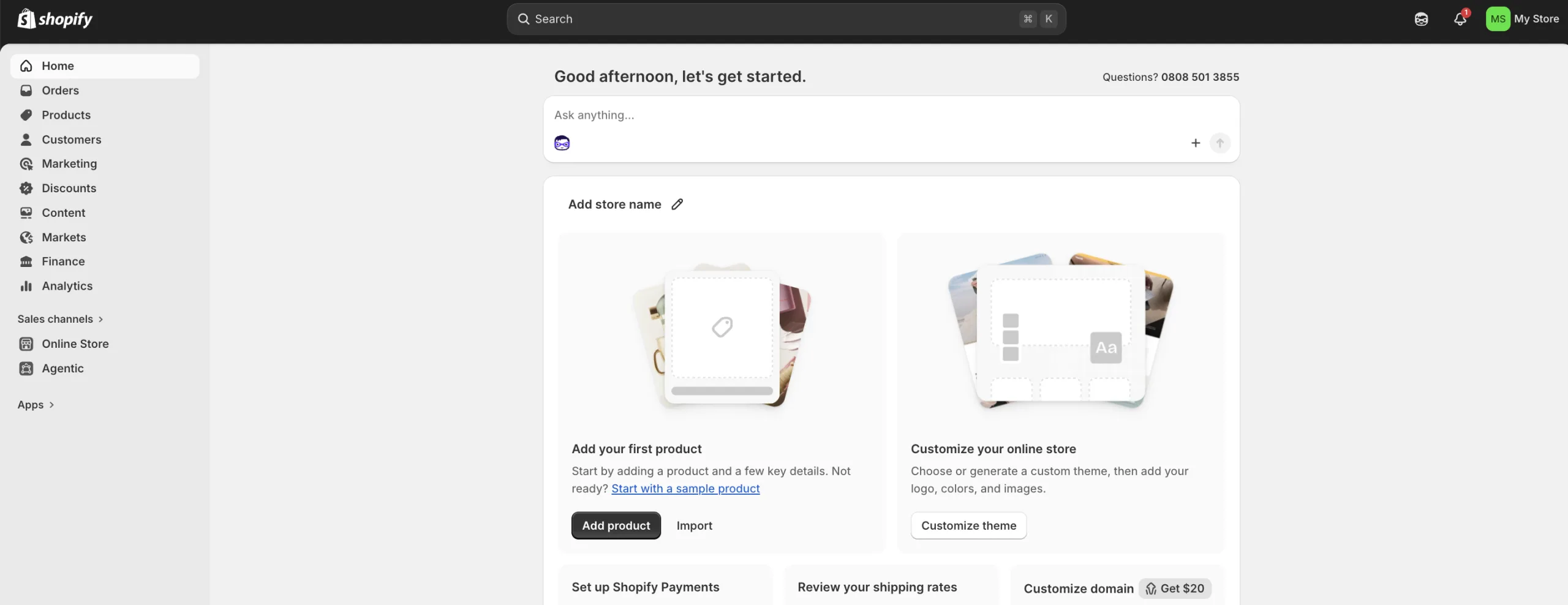
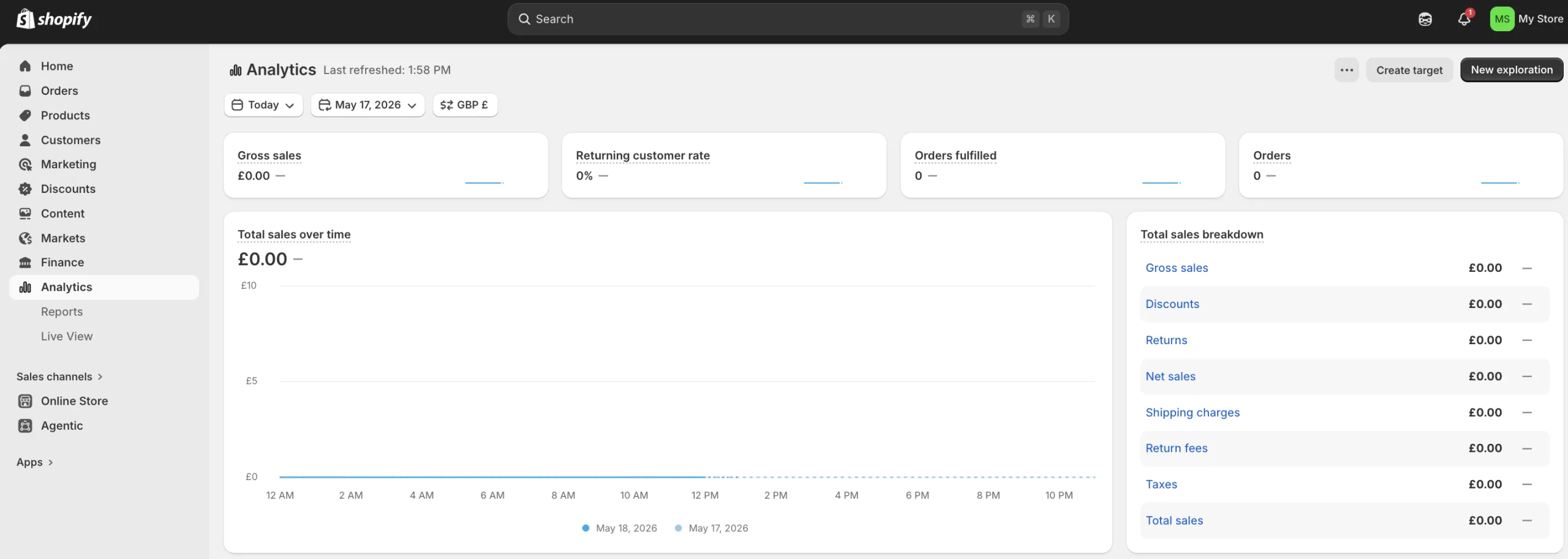
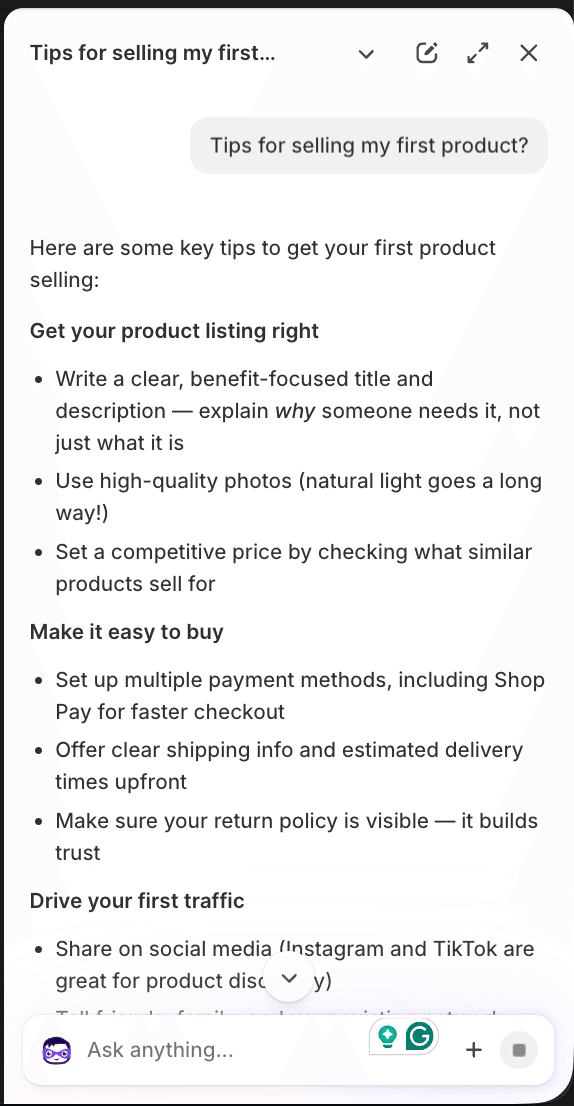
"I signed up to Shopify to see how difficult it was to get started for a beginner and was pleasantly surprised. After accepting a £1 trial, I went into the dashboard and was ready to start building my store in under 5 minutes. No demos, no sales calls, and no complicated software installation.Shopify merchant dashboard overview screen for a newly created store accountI had a look around the dashboard and was impressed with the analytics setup. Having run my own websites before, I know you can gain a lot of knowledge from data and reporting, so it was nice to see this already built out for me without any extra work.Shopify analytics panel displaying built-in store data tracking and reporting chartsI liked the new AI feature called Sidekick. I started up a quick conversation and had a bit of back and forth, and it seemed capable of directing me to the right place. I can imagine this is a big win for people who don't have the resources to hire their own developers or designers. "Shopify Sidekick AI chat assistant interface showing a conversation workflow
Matt Boyle
Publisher at Finder

Wix

With Wix, you can build a website quickly using templates and AI tools. You can set up an online store and use its design tools, SEO features, app marketplace, analytics dashboard, email marketing and ad tools on offer. It comes with a free domain for a year on all of its plans as well.

Wix has 4 different tiers. It’s free to create a website with Wix, but to connect it to your own domain and remove Wix branding, you need to pay for a premium tier. You can get a 14-day money-back guarantee when you do this to make sure it works for you before fully committing.

Squarespace

Squarespace lets you use AI tools to create product descriptions, build mobile-optimised websites, has SEO features and offers a free domain for a year. It’s also got security included to keep your store safe. If you’re looking to set up an online store then it’s a good option.

There are 4 different tiers and each comes with a 14-day free trial. You can change your plan tier as you need to if your business grows. If you pay annually there’s a 25% discount compared to paying monthly.

Lucy's headshot

"We have used Squarespace for our coaching site and shop for several years now and have loved the experience overall. The platform is really user-friendly, even if you're not super tech-savvy, and it makes creating and maintaining a professional-looking website feel simple and stress-free.One of the biggest things we love is how clean and modern the templates look, everything feels polished and easy to customise to suit our brand. Updating pages, adding content, embedding videos, and making general changes on the go has been really straightforward, which is ideal when running a busy business.We've also found the mobile version works brilliantly, which is important as so many people browse on their phones now. We haven't explored the email marketing side too much yet, but the online scheduling tool has been a really great feature for us and makes booking client calls and meetings feel very seamless and professional.That said, we do find blog post editing a little clunky at times, and adding or embedding images isn't always the easiest process compared to some other platforms. We've also found it a little limiting that when adding a subscription payment, you can't easily include a product or downloadable PDF alongside it, which feels like a bit of a flaw for onboarding new sign-ups.Overall, Squarespace has been a great option for creating a professional, easy-to-manage website without needing a web developer for every little change. We'd definitely recommend it to anyone looking for a sleek, modern website platform that's simple to use and visually impressive."

Lucy
Fit Sisters Coaching

Other costs

While these platforms offer a solution that includes most of what you need, there are still other costs to factor in. They all come with base prices, but you might find that you need to pay more for extra features, so make sure you are across that.

While some of them include the domain free for the first year, after that you’ll be required to pay that cost on top of your other monthly fees.

You also need to factor in what each platform and the specific tiers will charge you in transaction costs, because this can become quite expensive as you scale up. Some platforms make it easier to switch tiers than others.

Pros and cons of cheap software

Pros

  • It's free or relatively cheap to get started
  • AI tools are often included
  • Quick and easy to use
  • Security management included
  • A whole suite of tools available to build a store

Cons

  • Some of the premium features can end up costing a lot of money on top of your monthly fee
  • It can be a challenge to scale if you don't get the right template
  • Transaction fees can eat into your profits on cheaper plans
  • It's not always possible to export your site elsewhere
  • You're restricted by the available templates

Bottom line

Using cheap e-commerce software can be a sensible way to start an online business. It lets you start small and scale up as you need to, with all the tools you need initially. Most platforms have very similar offerings, though you need to decide which features you’ll need.

If you want to scale your business or add premium features, you could end up paying a lot more on top of monthly fees. Transaction fees can also add up. So make sure you’re fully aware of the pricing structure before you start.

It could be a good idea to look at a range of options and take advantage of free trials before deciding on one, because once you commit to one you can become wedded to it and it can be a challenge to export your store to a different one.

We show offers we can track - that's not every product on the market...yet. Unless we've said otherwise, products are in no particular order. The terms "best", "top", "cheap" (and variations of these) aren't ratings, though we always explain what's great about a product when we highlight it. This is subject to our terms of use. When you make major financial decisions, consider getting independent financial advice. Always consider your own circumstances when you compare products so you get what's right for you. Most of the data in Finder's comparison tables is provided by Defaqto. In other cases, Finder has sourced data directly from providers.

Jason Loewenthal's headshot
Senior writer

Jason is a writer and editor. He worked as a senior subeditor for Finder for 5 years and in that time became familiar with a wide range of financial products and services. Before that, he worked for Australian Associated Press. He has a BA from Macquarie University in Australia. Jason loves to help other people find new ways to save money. See full bio

More guides on Finder

Go to site