“I already pay for and use accounting software.”
You can use HMRC’s software finder to check if the software you use is MTD-ready and HMRC-recognised. If it is, great.

Making Tax Digital (MTD) is knocking on the door, and stats from HMRC show that 16.5% of sole traders will be impacted in the first wave. Research from Tide estimates that Making Tax Digital will cost eligible sole traders £2.18bn, the equivalent to £753 per business. Tide’s research also suggests the shift to 5 filings a year will divert an estimated 44 million working days away from running their businesses.
So if you’re wondering what this will mean for your business, here’s the sole trader’s guide to everything MTD.
Making Tax Digital is a new, modernised way of recording and reporting your income and expenses as a sole trader to HMRC.
Instead of completing one self-assessment, you’ll need to use recognised MTD software, send quarterly updates and then submit your tax return by 31 January each year.

If you’re a sole trader, here’s what you need to do to prep for Making Tax Digital.
Making Tax Digital is being rolled out in waves, so it’s important to know when you’ll need to comply. Here’s a breakdown of when it will become mandatory, based on your gross self-employed and/or rental income:
| Income | When MTD becomes mandatory | Percentage of sole traders impacted |
|---|---|---|
| Over £50,000 | 6 April 2026 | 16.5% |
| Over £30,000+ | 6 April 2027 | 19.8% |
| Over £20,000+ | 6 April 2028 | 15.7% |
| Up to £20,000 | (Not currently planned to become mandatory) | 48% |
If your income is below £20,000, you’re not required to join, but can opt in voluntarily.
To comply with Making Tax Digital, you’ll need to use HMRC-recognised software. You can either choose software that creates digital records or connects to your existing records. Your choice may depend on how you typically tackle accounting:
You can use HMRC’s software finder to check if the software you use is MTD-ready and HMRC-recognised. If it is, great.
You’ll need to start using HMRC-recognised software for your quarterly MTD filings.
One of the easiest and most cost-efficient approaches can be to get a business bank account with MTD software built in. These types of accounts are available from providers like Tide, Monzo and Starling. Tide offers a free built-in MTD service, with more advanced accounting features available through its paid plans.
You could contact your accountant to discuss MTD submissions. Don’t forget to ask if they would charge you extra for MTD, and ask what they would need from you. A TaxCalc survey of 215 accountants suggested that 47% of them intend to increase fees for MTD clients. But you don’t have to swallow a price hike if you don’t want to, and could consider the alternative options listed above.
Much like self-assessment tax returns, you’ll need to sign up to Making Tax Digital before your start date.
Plenty of business bank accounts can integrate with your accounting software. A few actually come with the accounting software built in. Provided your quarterly updates are provided to HMRC via HMRC-recognised MTD software, it’s up to you what set-up you use.
Business bank accounts with built-in MTD software, like Tide’s MTD-ready tool, can help save sole traders time and money with features such as:
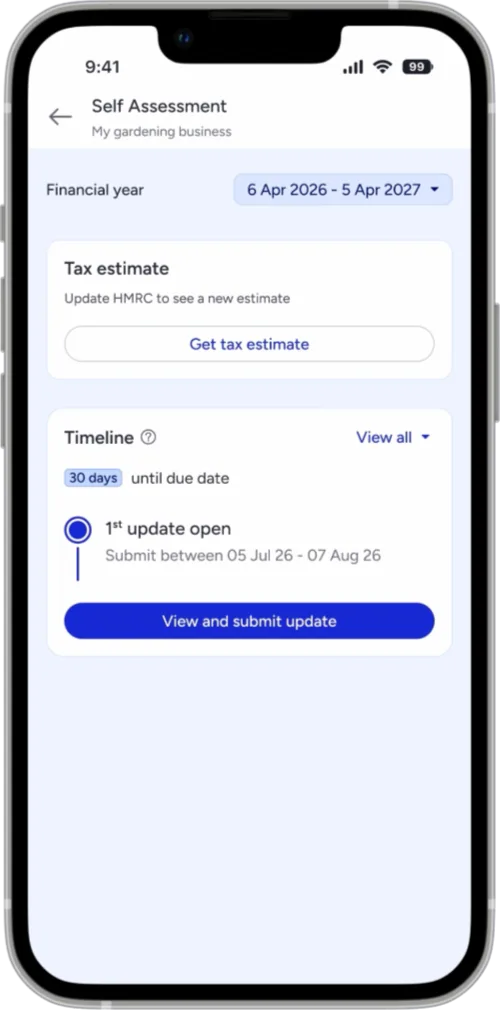
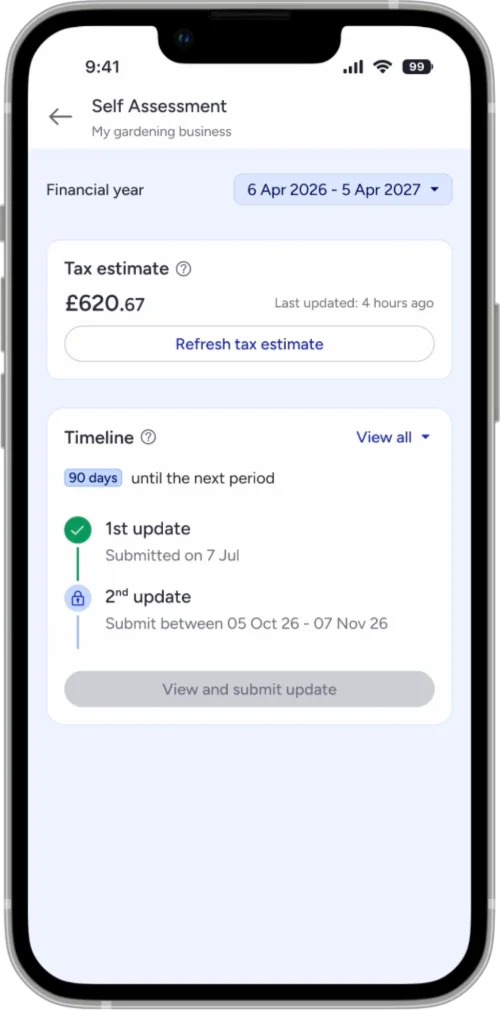
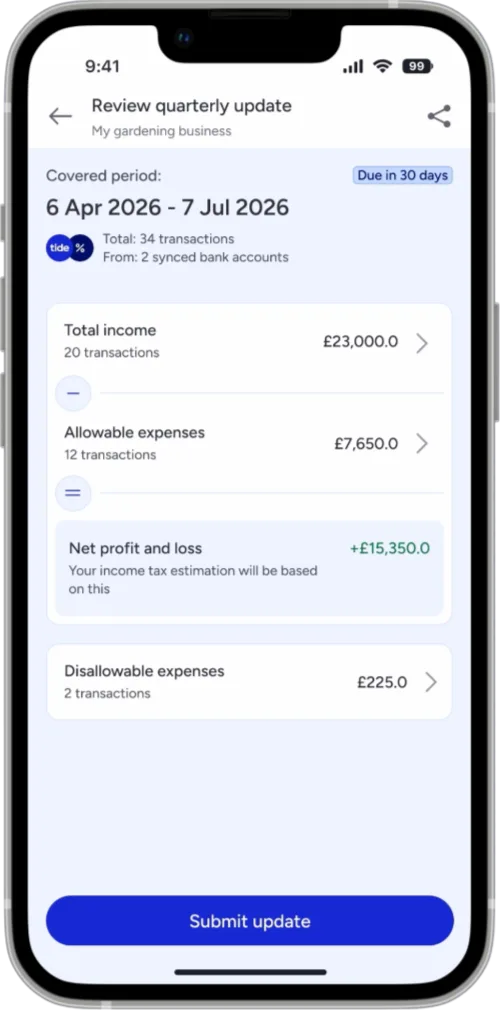
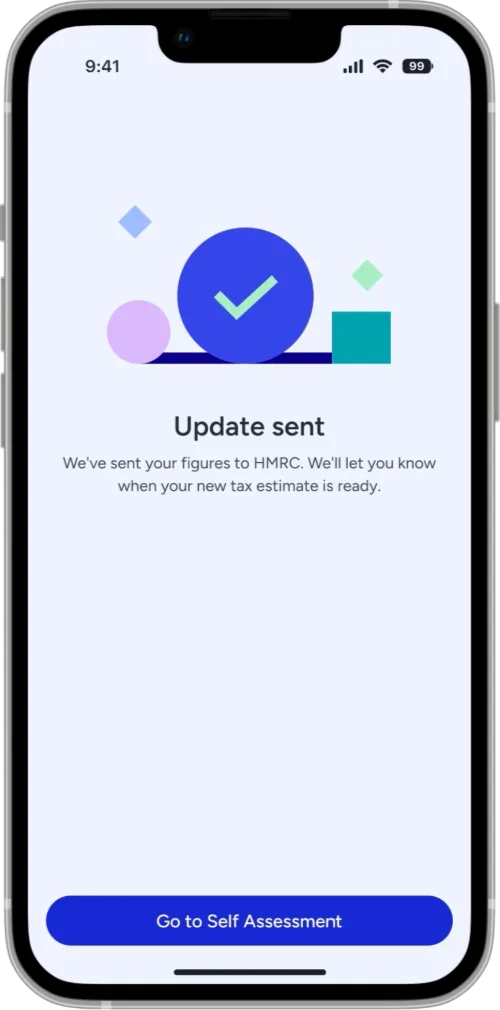
Here are some business banking accounts which offer built-in invoicing, expense tracking and MTD-compliant exports for sole traders.
Tide has free Making Tax Digital tools as part of its business bank account. Its software automatically tracks and stores all business income and expenses. It also provides real-time estimates of what you’re likely to owe, and has a linked Tax Account where you can put money aside for payments.
We particularly like that you can file your returns (quarterly and annual) directly to HMRC via the Tide app. Tide’s MTD software rolled out in February so it’s ready to use now, for both existing and new Tide users.
Tide’s HMRC-recognised MTD toolkit is free, with more advanced accounting features available through its paid plans. The bells-and-whistles paid version supports VAT-registered companies and unlimited monthly invoices.
Monzo’s Making Tax Digital software allows you to file directly to HMRC, categorise transactions, attach receipts and save for tax during the year. Monzo will also let you to add activity from other accounts.
If you’re willing to pay a monthly fee for Monzo’s Business Pro or Team plans, then you’ll also be able to automatically put a percentage aside for tax every time you get paid into one of its Tax Pots.
Starling’s Making Tax Digital tool is available and integrated into its sole trader account. The tool automatically categorises your transactions and submit your updates directly to HMRC.
Its sole trader account also has receipt capture capabilities, and you can put money aside for taxes in one of Starling’s Spaces.
Much like self assessment, you’ll need to sign up to Making Tax Digital before the date you’ll be required to use it. If your total annual income as a sole trader is over £50,000, you’ll need to register before 6 April 2026. You can do this at gov.uk. You’ll just need to use the same user ID and password you got when you registered for self assessment.
Making Tax Digital uses a points-based system for late filing. Every time you miss a submission deadline – whether that’s a quarterly report or your final declaration – you’ll receive 1 penalty point.
For most sole traders, if you reach 4 penalty points, you’ll be issued a £200 fine. Once you’ve hit the 4 point threshold, for every time you file late thereafter, you’ll trigger another £200 fine.
However, there will be a grace period for the first wave starting in April 2026. HMRC will not issue penalty points for late quarterly filings during that first year, but if you miss your annual submissions, you’ll get a point immediately.
If your income is below the threshold, then you’re automatically exempt from Making Tax Digital – but you must continue to report your income via self-assessment as normal. Automatic exemptions will be based on the details in your 2024 to 2025 tax return.
There are other exemptions available, and details of these can be found on gov.uk.
Discover how Making Tax Digital could affect carpenters from April 2026.
Discover how Making Tax Digital could affect electricians from April 2026.
Discover how Making Tax Digital could affect taxi drivers from April 2026.
Learn more about the best HMRC-recognised MTD software for sole traders.
