BigCommerce, as the name suggests, is an e-commerce platform. It’s especially useful if you have a large product catalogue and want to sell seamlessly across multiple marketplaces.
However, it’s not that easy to use if you’re a beginner or have low margins. In that case, you might want to consider alternative platforms to BigCommerce.
This guide has info on some of its main competitors and what they do differently.
Shopify
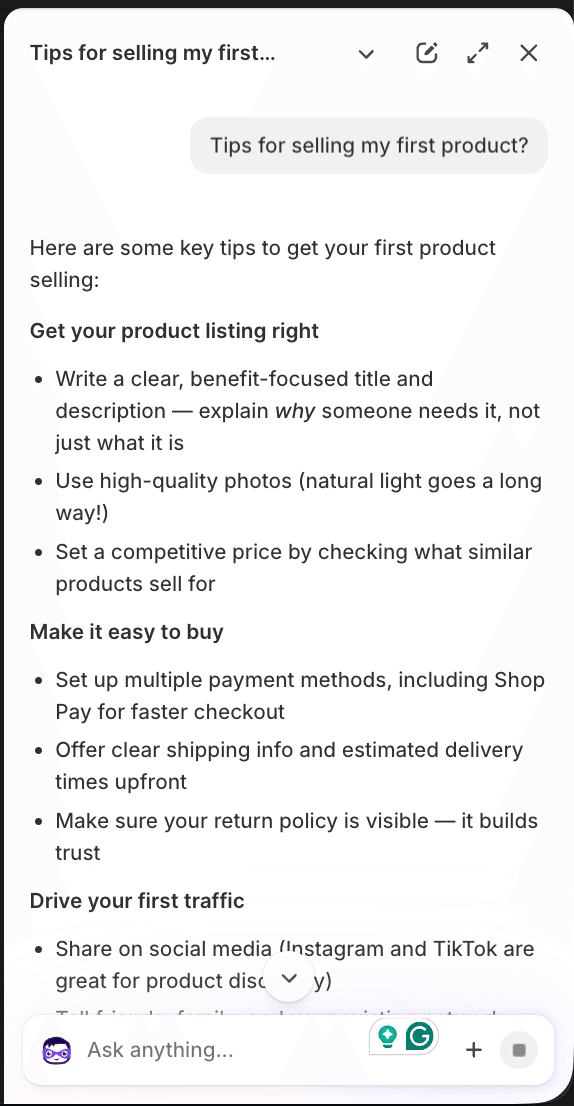
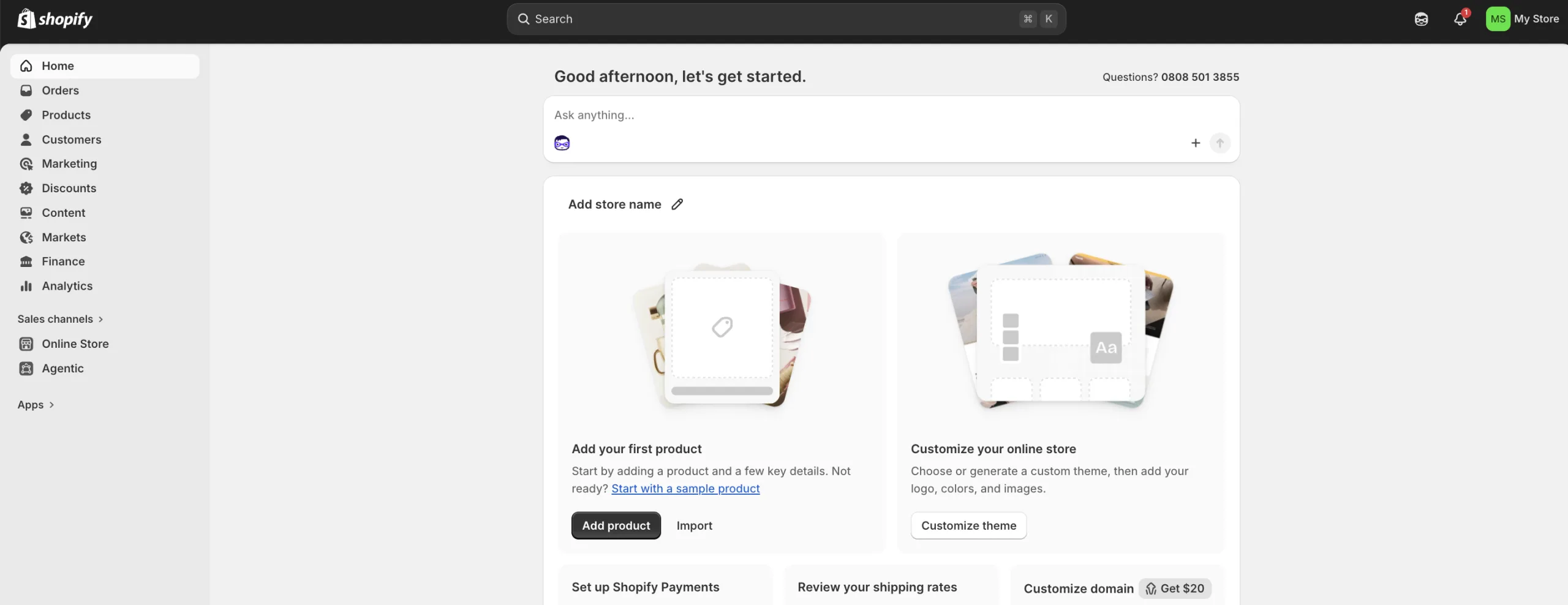
If you’re looking to build an online store then chances are you’ve come across Shopify. It comes with website-building tools, SEO and analytics, payment processing, inventory management and AI features. Shopify also helps you make sales and market using social media.
Pros
- The biggest player in e-commerce platforms
- No tech costs because it's included in the price
- User friendly for you and the customers
- Access to the Shop Pay ecosystem which can increase sales
Cons
- You're limited by Shopify's templates
- Monthly fees can increase quickly if you add lots of Shopify's paid apps
- Using other payment methods can incur extra charges
- Credit card fees aren't returned when you process a refund
Shopify: Complete platform breakdown
| Feature | Shopify Data |
|---|---|
| Target audience | UK side hustlers to enterprise |
| Setup type | SaaS hosted |
| Google Play rating | 4.2 |
| iOS app rating | 4.7 |
| Mobile app utility | Full store management & order fulfilling |
| Base monthly price (GBP) | £25/mo + VAT |
| Turnover caps / hidden limits | None on basic tiers |
| Gateway transaction fee (native) | 1.5% to 2.0% + 25p |
| 3rd party transaction fee | 2.0% penalty if not on Shopify payments |
| UK VAT & invoice ready | Yes (automated tax zones) |
| GDPR/Cookie compliance | Built-in basic setup (requires app for deep compliance) |
| Royal Mail integration | Excellent (native & app options) |
| Evri/DPD/UK carrier options | Excellent via ShipStation/Packlink |
| Inventory sync (POS) | Strong (native Shopify POS integration) |
| Editor style | Section-based block theme editor |
| Free templates count | 12 |
| UK timezone availability | 24/7 global live chat & email |
| Contact channels | Chat / email / community forums |
| App store size | Massive (8000+ apps) |
| UK entrepreneur rating (1-5) | 4.5 |
| Ease of use (1-5) | 4.5 |
| Learning curve level | Moderate |
| Best suited for | Rapid scaling & app-heavy businesses |
WooCommerce
WooCommerce is a plugin that works within WordPress to make any site a functioning store. You can set up a store with flexible secure payments and manage orders. It has an app store so you can use add-ons if you want extra features. Hosting, updates and security would be your responsibility, so you need to consider this before committing.
Pros
- No monthly platform fees
- You can use any payment processor you like without being charged extra
- It lives inside WordPress so SEO is front of mind
- You own your own data, hosting environment and website
Cons
- You have to pay for plug-ins
- You're in charge of your own security and hosting
- Plug-ins can cause issues with the website if one stops working
- Can slow down significantly if traffic spikes
Squarespace
You can easily create a website that looks like it has been designed by a professional with Squarespace. Web hosting, software updates and security are included in the price, so you can focus on making your site perfect. Expect a sleek user experience if you choose this.
Pros
- Designed so that anyone can create a good-looking website
- All-in-one solution to build a website
- Built-in marketing tools
- Easy for beginners to use
Cons
- Fees can add up if you need more features
- Not as good for e-commerce as other platforms
- Limited flexibility for complex or massive product inventories
- Website editor can be difficult to use
Wix
You can build a website from scratch without needing any coding skills. It has lots of templates to choose from and its AI website builder can help you get started. Hosting is included in the price, so Wix handles tasks like software updates and security for you, which means you can focus on other things.
Pros
- Has lots of templates
- AI website builder is a useful tool so you don't need any coding skills
- Hosting is included in the price
- Automatically backs up your website so you can restore it if you need to
Cons
- Advanced features will cost you extra
- Navigation can be an issue if you have a larger product catalogue
- Can sometimes have slower site speeds compared to competitors
- Limited flexibility with the design
Bottom line
While website-building platforms all have the same outcome of building a website, every platform is different, so it’s important to find the right fit for you. You should see what tools are available, how quick a platform is to set up and how much you’re going to need to spend to get what you want.
If you don’t think BigCommerce is right for you then consider some of the other platforms on this list. Many platforms offer free trials, so that could help you make a decision without spending any money in the process.
More guides on Finder
-
Cheap e-commerce software: Shopify & more
Starting an online shop doesn’t have to cost you an arm and a leg. We’ve looked at some cheap options for you.
-
Squarespace review
Design a professional-looking website with Squarespace.
-
BigCommerce review
We reveal the pros and cons of using BigCommerce to start your business.
-
Alternatives to WooCommerce: Shopify and more
Weighing your options against WooCommerce? Discover how these powerful e-commerce platforms stack up.
-
Alternatives to Wix: Shopify and more
Ready to move beyond Wix? Explore these top-rated website builders to find the perfect fit for your next project.
-
Shopify vs Wix
We pit Shopify against Wix to help you choose between them.
-
The best e-commerce platforms in the UK 2026
Learn about the best e-commerce platforms to start selling online in the UK.
-
Shopify vs WooCommerce
Sizing up the key differences between Shopify and WooCommerce.
-
Shopify vs Squarespace
Compare Shopify and Squarespace side by side.

I had a look around the dashboard and was impressed with the analytics setup. Having run my own websites before, I know you can gain a lot of knowledge from data and reporting, so it was nice to see this already built out for me without any extra work.
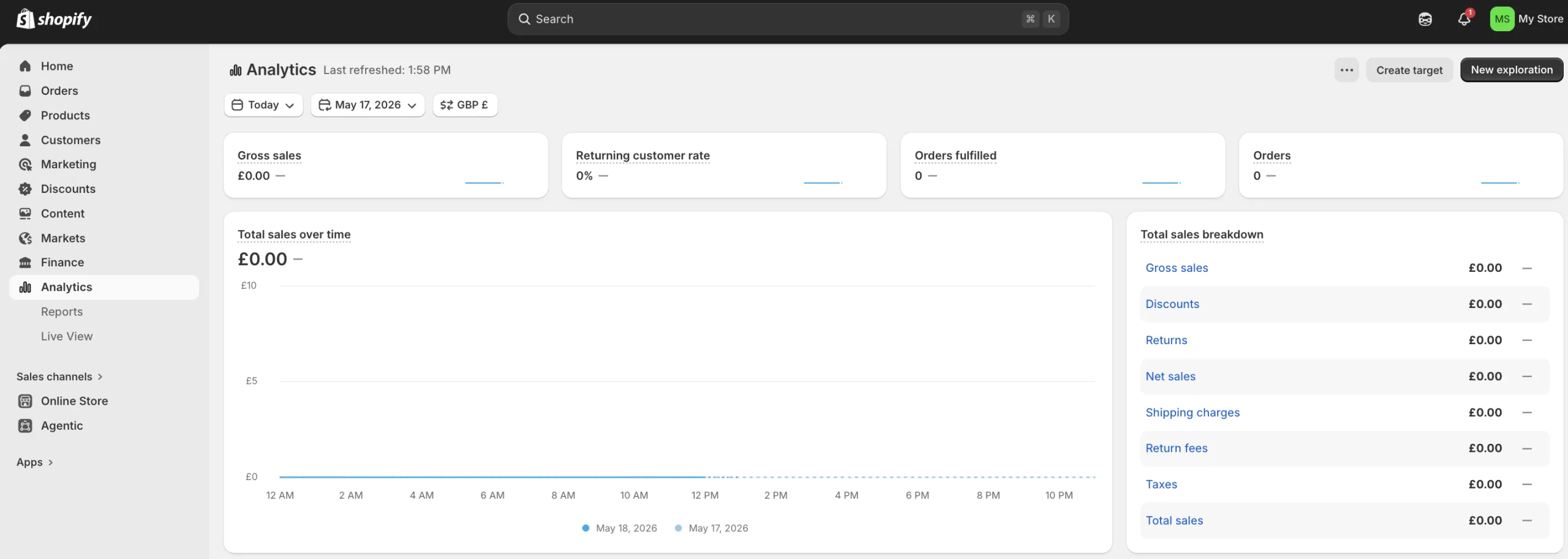
I liked the new AI feature called Sidekick. I started up a quick conversation and had a bit of back and forth, and it seemed capable of directing me to the right place. I can imagine this is a big win for people who don't have the resources to hire their own developers or designers. "