Venmo Teen Account Review

This card isn't available on
Finder right now.
- Monthly maintenance fee
- $0
Our verdict
This account gives teens access to their first debit card for free — with parental supervision.
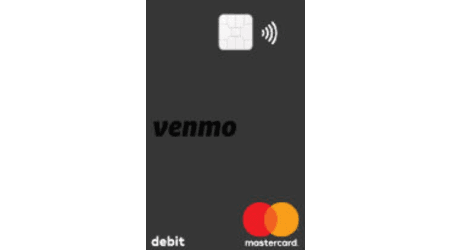
The Venmo Teen Account is for ages 13 to 17. Teens get a Mastercard debit card linked to their Venmo account balance. Parents can also decide to give the teen access the Venmo app itself to access the P2P services and get higher spending limits. Parents can also monitor spending through the Venmo app, lock and unlock the debit card and get notifications on account activity. There are pre-set withdrawal and spending limits, but parents can't set their own custom spending limits.
Best for: Parents or guardians with Venmo looking for a free debit card for their teenager.
Pros
-
$0 monthly fee
-
Parents can monitor spending
-
Teens can use Venmo’s debit card and P2P payment system
Cons
-
Lacks customizable spending limits
-
No financial literacy education tools
-
Some funds might not be FDIC insured
Who is Venmo’s teen account best for?
This account is for teens aged 13 to 17, making it best for parents who already have Venmo and want to get their teen a free debit card. Signing up for Venmo’s teen account requires an adult with a Venmo account and the app.
Parents and guardians can set up the account on behalf of their child and add money. Venmo’s teen account is free, making it a great fit for parents on a budget. But if you’re looking for an account that teaches teens how to manage their money, the best kids’ debit cards have financial literacy tools and features like savings bonuses and rewards.
What we like about the Venmo Teen account
The Venmo Teen Account is pretty basic, but that could be great for a teen’s first debit card.
No monthly fees
Venmo’s teen account is free to open and maintain. There are no monthly fees and no opening deposit requirement.
P2P payments
As you would expect from a peer-to-peer (P2P) app like Venmo, you can easily transfer funds to your teen’s Venmo account from your own personal account through the app. There are no fees for regular transfers with your linked bank account, either.
Teens can send friends and family funds quickly and easily, and their Venmo card is linked directly to their Venmo balance. This can mean simple cash reloads for parents for things like spending cash or a regular allowance.
Early direct deposit
The Venmo Teen Account supports early direct deposit for payroll. Paychecks can arrive up to two days early.
However, the Teen Account isn’t eligible for direct deposit from government payments or tax refunds.
Clear spending limits for teens
Similar to other teen debit cards, Venmo has spending and withdrawal limits for teens. You can also give your teen more access to Venmo, which offers higher spending limits and the ability to make purchases via QR codes and do P2P payments. But if you don’t want your teen to use the actual Venmo app, you can simply set up the teen account and give them the debit card to use.
The spending limits with the Venmo Teen account are:
| Account limits | With Venmo app access | Without Venmo app access |
|---|---|---|
| Debit card limits |
|
|
| ATM withdrawal limits | $400 per day | $400 per day |
| P2P payments | $2,000 per week | N/A |
| In-store QR code purchases | $2,000 per week | N/A |
What could be better
While the Venmo Teen account is free, it lacks many of the great features we commonly see with other kids’ debit cards, such as customizable spending limits, financial literacy education and saving bonuses.
And Venmo isn’t the only free kids’ banking app — the free teen banking app Step offers teens the ability to start building a credit history, earn a 3% annual savings reward and cashback rewards.
Prepaid debit cards for kids like Greenlight and Acorns Early (formerly GoHenry) start at around $8 per month, but they come with extra features like savings rewards, financial literacy games, store-level spending limits and overdraft protection.
Funds may not be insured
Venmo isn’t a bank, and it’s owned by PayPal. The FDIC does not insure most P2P payment apps — and this includes Venmo. If you transfer funds from your bank account to your or your teen’s account, those funds are not protected under FDIC insurance, which protects deposit accounts up to $250,000.
The Venmo debit card is issued by The Bancorp Bank, which is FDIC insured, but it’s just the card issuer and is not responsible for the associated accounts, products or services from Venmo.
You and your teen’s funds are insured if you add funds through direct deposits or when you use Venmo’s cash-a-check feature. This means that it’s very likely funds won’t be insured — unless you use one of these two features.
Venmo Teen account fees and access
On a regular basis, the only fees you’ll have to watch out for are out-of-network ATM fees and instant P2P transfers. And if you’ve connected your credit card to Venmo to send payments or funds to your teen, you’ll incur an extra 3% fee.
| Type of fee | Fee details |
|---|---|
| Monthly service | $0 |
| Opening deposit | $0 |
| ATMs |
|
| Debit card fees |
|
| Overdraft or nonsufficient funds | $0 |
| Wire transfers | N/A |
| P2P fees |
|
Compare Venmo Teen account to other kids’ debit cards
Check out more kids’ accounts by monthly fees and features.
What is the Finder Score?
The Finder Score applies to 45+ kids' debit card options. It takes into account the card's fees, features, age requirements, ATM access and more — this gives you a simple score out of 10.
To provide a Score, we compare like-for-like debit cards. So if you're comparing the best kids' cards with no monthly fees, you can see how card stacks up against each other by features, opening deposits and other benefits.
How to open the Venmo Teen account
The Venmo Teen account officially launched in June 2023, and it’s still rolling out. It’s currently not available to all users but will become available to more in the coming weeks. There’s no application fee, but parents or guardians need to have their own Venmo account to apply for the Venmo Teen account. Get started in three steps:
- Open your Venmo app and select Me in the bottom right corner.
- Select your name on the top-left, then tap Create a teen account from the drop-down menu.
- Enter your teen’s information, such as date of birth, name and address. Then choose a color for your teen’s debit card.
Customer reviews and ratings
| BBB accredited | No |
|---|---|
| BBB rating | Not rated |
| BBB customer reviews | 1.03 out of 5 stars, based on 680 customer reviews |
| Trustpilot score | 1.1 out of 5 stars, based on 1,120 customer reviews |
| App Store Score | 4.9 out of 5 stars, based on 15,000,000 customer reviews |
| Google Play Score | 4 out of 5 stars, based on 904,000 customer reviews |
| Customer reviews verified as of | 04 June 2026 |
Most customer reviews and ratings are in reference to Venmo’s P2P payment system and other features.
Currently, Venmo has received around 4,500 complaints on its Better Business Bureau (BBB) profile in the last three years. We typically see that many complaints with big banks. Most complaints talk about frozen transfers, being a victim of a scam and issues contacting customer support. However, Venmo does respond to nearly all complaints.
Overall, Venmo’s customer reviews are poor on both BBB and Trustpilot. Most reviews are negative, and common threads among reviews are about poor customer service, issues with disputing transfers and frozen transactions.
On app stores, most ratings are positive. Reviews praise the quick and easy transfers between friends and family, and about how convenient the app is when it comes to splitting bills at places like restaurants or vacations.
Sources
Your reviews

Bethany Finder
Banking editor
You are about to post a question on finder.com:
- Do not enter personal information (eg. surname, phone number, bank details) as your question will be made public
- finder.com is a financial comparison and information service, not a bank or product provider
- We cannot provide you with personal advice or recommendations
- Your answer might already be waiting – check previous questions below to see if yours has already been asked
Finder only provides general advice and factual information, so consider your own circumstances, or seek advice before you decide to act on our content. By submitting a question, you're accepting our finder.com Terms of Use and Privacy and Cookies Policy.
This site is protected by reCAPTCHA and the Privacy Policy and Terms of Service apply.