Play Games & Take Surveys
- Access a variety of tasks
- Make an average of $300 per offer
- Get a $10 CAD sign-up bonus when you start your first offer

With over 220 million monthly active users in 190 countries, online graphic design platform Canva offers myriad creative opportunities. It provides a suite of tools to help users design, create, edit, print and publish, even if you don’t have any design training or experience. So if you’re a content creator, it offers a lot of different ways for you to make money.
Whether you create and sell printable products and artworks, run a print-on-demand business or work as a freelance graphic designer, the amount of money you can make varies greatly. You could earn spare change or potentially thousands of dollars per month.
No, there are no specific design qualifications or skills required to make money with Canva. While an eye for good design will obviously improve your chances of success, Canva’s range of design tools and AI assistance features aim to simplify the creation process. Keep reading to learn how to make money on Canva.

How it works: Printables are digital products that people can download and print out themselves. Popular options include calendars, diaries, meal planners, budgeting tools, educational worksheets for kids and colouring pages. You can create your own designs with Canva and then sell them on an online marketplace like Etsy.
Financial investment required: Minimal. You could use Canva Free or pay $150 per year for a Pro subscription. You will also need to consider marketplace listing fees; as an example, Etsy charges US$0.20 per listing.
Beginner-friendly: Yes.
Play Games & Take Surveys
Best for Mobile
Paid Surveys

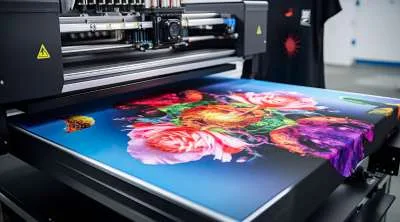
How it works: Canva offers all the tools you need to create unique, eye-catching designs. When they’re ready, head over to print-on-demand platforms like Printful, Printify and Redbubble to get your design printed on t-shirts, hats, coffee mugs, phone cases, stationery and a whole lot more. These print-on-demand platforms produce and ship the item for you whenever a customer buys your design online.
Financial investment required: Low. The main expenses could be an optional Canva Pro subscription and listing or subscription fees, depending on where you choose to sell your products online.
Beginner-friendly: Yes.
Don't Leave Money on the Table
40 ways to get 'free' money in Canada through rebates, bonuses and money strategies
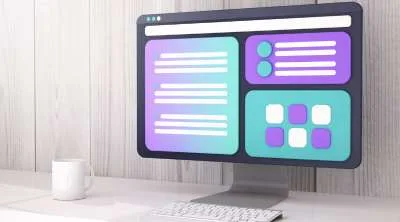
How it works: Anyone can use Canva to create their own designs. But there are lots of people out there who don’t have the necessary design skills or simply the spare time to do so, which means they’re happy to let someone else do the work. So if you want to know how to make money off of Canva templates, that’s where this side hustle comes in. You can use the platform to create customizable templates for things like social media posts, media kits, wedding invitations, resumes and business presentations. You can then sell them to people and businesses on platforms like Etsy, Gumroad or your own website.
Financial investment required: Low. Costs to consider are a Canva Pro subscription ($150 per year) and marketplace listing fees.
Beginner-friendly: Yes.

How it works: The Canva Creators program allows you to publish your templates and designs in Canva’s library. It allows graphic designers, artists and other creators to showcase a portfolio of work to Canva’s huge global audience. When a Canva user selects one of your designs, you earn royalties.
Financial investment required: Low. You will most likely need a Canva Pro subscription.
Beginner-friendly: Not entirely. You will need to apply to join the program. There may also be special requirements depending on the type of Canva Creator you want to be. For example, Education Specialty Creators must be verified professionals.

How it works: If you want to freelance as a graphic designer, Canva is a useful design tool to have at your disposal. List your services on sites like Upwork and Fiverr to get work creating things like posters, logos and customizable templates for business clients.
Financial investment required: You will need a Canva Pro subscription and a subscription to other software such as Adobe Creative Cloud ($71.99 per month).
Beginner-friendly: No.

How it works: If you’re a content creator on Canva, you can apply to become a Canvassador. Canvassadors are basically people who inspire and teach other people to use Canva by creating online tutorials, courses and workshops. If you’re accepted into the program, you can then earn commissions by referring Canva Pro subscribers as part of the platform’s affiliate program.
Financial investment required: Low.
Beginner-friendly: No. You’ll need to be an experienced Canva user and already be creating content about the benefits of the platform to qualify.

How it works: Low-content books are books designed for people to fill in. They can be notebooks, planners, fitness and budget trackers, colouring books, gratitude journals and logbooks. Design them on Canva, then export and upload them to sites like Amazon Kindle Direct Publishing to sell.
Financial investment required: Low.
Beginner-friendly: Yes.

How it works: Use Canva’s design tools to create your own wall art. You could then sell physical artworks through your own website, use a print-on-demand platform to market your products, or sell digital files on sites like Etsy.
Financial investment required: Low. You may need a Canva Pro subscription, while you’ll also need to consider printing costs if you will be printing the artwork yourself.
Beginner-friendly: Yes.
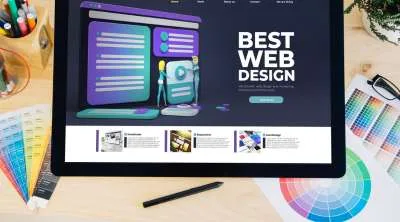
How it works: Canva’s website builder provides a host of customizable templates to help you design and build websites. There’s no coding required, while a Pro subscription will provide access to a full range of AI tools to help you get sites up and running. You can then market yourself as a freelance web designer on platforms like Upwork and Fiverr, and help small businesses build their online presence.
Financial investment required: Canva Pro subscription, plus any marketing costs required to attract clients.
Beginner-friendly: Yes.

How it works: It may be best known for graphic design, but Canva also has its own video editor. This free online tool uses a drag-and-drop design for simple video editing, so you could use it to create videos for your own YouTube channel, to generate social media content for Instagram or TikTok, or to create ads for small businesses.
Financial investment required: Some animations and AI-generated content require minimal investment, but you’ll need a decent-quality video camera for any content you want to film.
Beginner-friendly: Yes.
The potential income range for creators on Canva varies greatly. If you’re looking to sell templates, for example, the marketplace is extremely crowded and competitive right now. Standing out from the crowd is difficult, so there is always the risk that you won’t earn any significant income.
But if you have eye-catching designs and unique selling points, and you’re willing to put in the hard work, your earning possibilities will increase. Successful template sellers can earn hundreds or even thousands of dollars per month from their Canva creations, which provide them with an ongoing source of passive income.

If you’re searching for a real-life example of someone who has used Canva to their financial benefit, look no further than Yale Jeannette. This Filipino-born Canadian was working a finance job in the corporate world, but burnout left her looking for a more fulfilling way to earn a living. Despite having no design background whatsoever, in December 2021 she started creating Instagram templates with Canva to sell on Etsy. She started with nine listings and made her first sale a couple of days later.
Inspired by her initial success, and spurred on by YouTube tutorials and her own creative impulses, she continued tweaking her Canva designs, uploading more templates and growing her Etsy shop. After a few months, Yale realized that she was making more money from her digital product side hustle than from her corporate job. She quit her job in 2023 and now sells digital products and works as a content creator.
Check out Yale’s story in this YouTube video.
Canva offers a huge range of design tools for content creators. Many of them are available with a Free plan, but some require a $150/year Pro subscription. The features you can access within each tool vary depending on whether you’re a Free or Pro subscriber too, as some premium options are only available with a Pro plan.
It’s also worth mentioning that you get limited access to some features with a Free plan, but you get full access with Pro. For example, Free users get access to 1.6 million+ templates, while Pro users get 3.6 million+ templates. Free users get access to fewer than 5 million photos, videos, graphics, and audio, but that number jumps to over 141 million for Pro users.
Check out the table below for a breakdown of the free and paid tools available on Canva.
| Tool | Features available with Canva Free | Features available with Canva Pro |
|---|---|---|
| AI Photo Editor |
| All the features of Canva Free plus:
|
| Magic Design |
|
|
| AI Image Enhancer |
|
|
| AI Image Generator |
|
|
| Magic Layers |
| All the features of Canva Free plus:
|
| Video Editor |
|
|
| Magic Animate | Not available |
|
| Magic Write |
|
|
| Canva Code |
|
|
| Website Builder |
| All the features of Canva Free plus:
|
| Canva AI |
|
|
If you’re just a casual user of Canva, you might not need to subscribe to a paid plan. Canva Free still provides access to a wide range of features and templates, so it offers enough to satisfy basic design needs.
But if you’re looking to turn content creation into a legit money-making side hustle, upgrading to Canva Pro is well worth the money. Not only do you get full access to Canva’s suite of AI tools, but you can also make the most of a huge range of templates, images, videos and graphics.
Pro provides creative inspiration as well as tools to improve your efficiency and the professional quality of your work. It is priced at $150 per year though, so it’s not a small investment. Try Canva Free first to see if it’s adequate for your needs before deciding whether you should fork out for Pro.
Creating and selling digital products, selling Canva templates and selling print-on-demand products are three of the best ways to make money using Canva.
You can get up and running with all three of these options using a free Canva plan. You don’t need to worry about storing or shipping any physical inventory either, and all three offer the potential to provide passive income.
There are plenty of legit online courses and tutorials available to help you learn how to use all of Canva’s features. But there are also some scams to watch out for. These sometimes take the form of videos on YouTube and other social media platforms that promise to show you how you can make astronomical amounts of money selling Canva templates and other digital products. But to learn the “secret” to Canva success, you first need to sign up for an expensive online course. Remember, if the rewards on offer sound too good to be true, they probably are.
There are lots of different ways you can make money on Canva. With the platform’s suite of design tools at your disposal, you could earn some extra pocket money, start a lucrative side hustle, or maybe even find a new career. Sign up online or download the app today to find out how you can make money with Canva.

Get a $40 bonus through Finder when you sign up for Freecash.
Find out how to sign up for Testerup and get a welcome bonus in a few easy steps.
Find out how to score bonus points and boost your chances of winning even more rewards with popular survey site LEO.
Find out how to receive a bonus from paid survey site Toluna.
Here’s how to earn a bonus when you join popular get-paid-to-play app, Mistplay.
Find out how to receive a bonus from paid survey site Tellwut.
Find out how to get a signup bonus from paid survey platform YouGov in just a few simple steps.
Compare legitimate cash bonus offers to get $40 to $200+.
Find out how to receive a bonus from get-paid-to platform Freecash.
We tested 13 websites and apps to find the best survey sites to make money in Canada.
