Ledger Nano S Plus Wallet
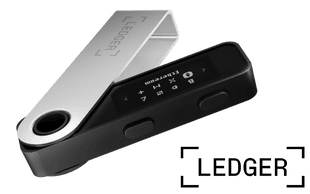
- Buy, swap & stake range of crypto & NFTs
- Supports 5,500+ tokens
- Highly secure hardware wallet


Ledger Nano S Plus Wallet
We compared more than 50 crypto wallets to find the best crypto wallet in Canada, looking at features like security, usability, cost and supported coins. Bear in mind that it’s a good idea to pair any software wallet with a hardware wallet for added security. Having more than one wallet also lets you spread out your assets in case one of your wallets gets compromised.
This is not an endorsement of cryptocurrency or any specific provider, service or offering. It is not a recommendation to trade or use any services.
Our overall top pick for the best hardware wallet for bitcoin is the Ledger Nano S Plus Wallet. That said all of our best crypto wallet selections can safely store bitcoin. Check out our full guide to the best bitcoin wallets in Canada for more options and details.
The best crypto wallet for beginners will be one with a user-friendly interface and resources to help you trade and store you crypto efficiently. Of the wallets we examined, Kraken, and Ledger are some of the best options for beginners.
The most trusted crypto software wallets include Kraken, Bitbuy and Coinbase. The most trusted crypto hardware wallets include Ledger and Trezor. We chose these wallets based on our proprietary methodology by carefully comparing wallet features and security measures.
In general, hardware wallets will be more secure than mobile and web-based wallets. For example, the majority of Ledger wallets, including the Ledger Nano S Plus, have a security rating of CC EAL6+.
| Wallet | Wallet type | Supported assets | Price |
|---|---|---|---|
| Kraken Wallet | Mobile wallet | 2,000 | $0 |
| Paybis Wallet | Mobile wallet Web browser wallet | 80 | $0 |
| Bitbuy Wallet | Mobile wallet | 60 | $0 |
| Coinbase Wallet | Mobile wallet Desktop wallet Web browser wallet | 1,000,000 | $0 |
| Ledger Nano S Plus | Hardware wallet | 15,000 | $59 |
| Ledger Nano X | Hardware wallet | 5,500 | $99 |
| Ledger Stax | Hardware wallet | 5,500 | $399 |
| Ledger Flex | Hardware wallet | 5,500 | $249 |
| Trezor Model T | Hardware wallet | 7,000 | $169 |
| Trezor Model One Wallet | Hardware wallet | 1,000 | $59 |
| Best Wallet | Mobile wallet | 1,000 | $0 |
| Zengo | Mobile wallet | 380 | $0 |
| Exodus | Mobile wallet Desktop wallet Web3 wallet | 1,000 | Free download |
| Atomic Wallet | Mobile wallet Desktop wallet | 1,350 | Free download |
| Trust Wallet | Mobile wallet Web browser wallet | 10,000,000 | Free download |
| COLDCARD Mk4 | Hardware wallet | 1 | $177.94 |
| Coinomi | Mobile wallet Desktop wallet | 1,770 | Free download |
| MetaMask | Mobile wallet Web browser wallet | 500,000 | Free download |
| NGRAVE ZERO | Hardware wallet | 2,700 | $598 |
| Tangem | Hardware wallet | 5,000 | $54.90 |
| SafePal S1 Wallet | Hardware wallet | 30,000 | $49.99 |
| Ctrl Wallet (formerly XDEFI) | Web browser wallet | 10,000 | Free download |
A cryptocurrency wallet is a software program that allows you to store, send and receive digital currencies and check your crypto balance. Crypto exists digitally, not physically, so your wallet doesn’t actually hold any coins. Instead, it stores the keys for your crypto transactions on the blockchain. There are two types of keys:
Digital currencies have different types of address. Usually, you can only send coins between wallets with similar address types (for example, you can send bitcoin to a bitcoin wallet address or Ethereum to an Ethereum wallet address).
 What do crypto wallets have to do with blockchains?
Every crypto transaction is recorded and publicly shared across a network of linked computers known as a blockchain. Most cryptocurrencies use a blockchain—one that was developed for that crypto or for another crypto—to record transactions, but not all do.
Your wallet address keeps a record of all your transactions and tracks your crypto balance. By following the chain all the way to the present day, a wallet can figure out how many coins you have.
For example, if Alice sends Bob 0.001 BTC, the transaction is verified and added to the blockchain. which then shows that Alice’s wallet has 0.001 less BTC and Bob’s wallet has 0.001 more BTC.
Anyone can view the public keys of any wallet along with the amounts sent and received to each wallet. Watch real bitcoin transactions happening in real-time.
Let’s take a closer look at the different types of crypto wallets you can use. Each has its own advantages and disadvantages in terms of security, ease of use, convenience and a range of other factors.
A hardware wallet is a physical device that can connect to your computer like a USB drive. It stores private keys, which are used to manage your crypto. Because it works separately from your computer or phone, hardware wallets are offline (“cold storage”) and considered much more secure.
Popular hardware wallet brands include Trezor and Ledger.
The downside is that you need access to the physical device any time you want to make a transaction, which makes it best for long-term storage or home use. But it’s not ideal for on-the-go traders who want 24/7 access to their crypto.
Hardware wallets also cost money, typically ranging from CAD $50–$300, but the security and peace of mind is worthwhile.
Software wallets are (typically free) apps, browser extensions or websites that store your private keys. Many now integrate with Web3 software, which means you can use your crypto with applications like games, finance, art, collectibles, NFTs and more.
Software wallets are convenient for beginners who don’t have enough funds to warrant buying a hardware wallet or who use Web3 apps regularly. You need a phone, laptop or tablet to access your wallet. But it can be installed across multiple devices, making it more accessible than a hardware wallet.
The downside though is that software wallets are always connected to the internet (“hot wallets”) and are at greater risk of hacks, phishing attempts or malware.
Exchange wallets let you hold crypto on the platform or exchange where you bought it. The platform manages private keys on your behalf, reducing the complexity of properly storing private keys.
You can easily access your crypto with just your account name and password. If your exchange has a website, you can access it anywhere you have the internet.
This makes it an extremely convenient way of storing crypto if you need regular access to it round the clock, which is why many traders typically keep their crypto on exchanges, despite the risks.
Storing your crypto on an exchange is considered the most risky because exchanges are frequently the targets of attempted hacks, theft and phishing scams and exchanges are at risk of mismanagement. If you use an exchange wallet, enable two-factor authentication and other enhanced security measures.
Cold wallets store your assets offline and are less susceptible to hacks than hot wallets, which remain connected to the internet, but are more accessible and easier to use.
As a general rule of thumb, you should try to move your holdings to a cold wallet and only use a hot wallet when actively trading or transacting your crypto. Hot wallets can be used in conjunction with a cold wallet like our pick for the Best Bitcoin wallet, the COLDCARD Mk4.
Now that you know all about the different types of wallets available, it’s time to find the best crypto wallet for you. To do that, compare wallets based on several key factors, including:

"A wallet should have an intuitive and easy-to-use interface, making it accessible to both beginners and experienced users. The ability to store and manage a variety of cryptocurrencies is crucial, as the crypto market consists of numerous digital assets. A good wallet should provide a reliable backup and recovery system to protect against data loss or theft of the wallet’s private keys. Access to transaction history and reporting features is essential for tracking your cryptocurrency holdings and activities. "

"Interoperability with web3-enabled sites is probably the most important feature after security for crypto wallets today. WalletConnect makes it possible to use a wide range of wallets to interact with web3 sites. Cross-chain compatibility and the ability to do swaps inside the wallet can also make life a lot easier. "

"The wallet should be easy to use and navigate. Users should be able to easily send, receive, and store their cryptocurrencies. The wallet should support the cryptocurrencies that users want to use. Multi-signature wallets require multiple signatures to authorize transactions. This makes them more secure than single-signature wallets.Cold storage wallets allow users to store their cryptocurrencies offline. This is the most secure way to store cryptocurrencies, as it protects them from hackers. Some crypto wallets offer additional features, such as staking, lending, and decentralized exchange (DEX) integration. "

You’ve zeroed in on the best crypto wallet and completed the setup process. Now it’s time to learn how to use it. Here are the step-by-step instructions for what you’ll need to do.
To send funds from your wallet, you’ll need the public key to your recipient’s wallet. This could be (1) a long string of letters and numbers, (2) a smartphone wallet QR code or (3) a clickable web link. Once you have this:
The exact process varies depending on the wallet you choose. Hardware wallet users typically need to connect their wallet device, enter a PIN or password and manually verify the transaction on the device itself.
Receiving crypto is even easier than sending it. However, wallets vary greatly in the way this is done. Some provide you with a fixed public address, others give you a new address for every transaction and still others use a combination of the two.
If you want to hold onto your crypto, there’s usually not much you need to do once the funds have arrived in your wallet besides maintaining a high level of security at all times.
Log in to your wallet whenever you want to check your balances. You may be able to earn interest on your coins by “staking” your holdings.
When you use a non-custodial crypto wallet, you reduce the risk of a third-party custodian like a crypto exchange going under and taking your funds with it.
However, software wallets are always connected to the internet and are easier to hack than hardware wallets. If a software wallet runs on closed-source code, you must trust the wallet creator not to extract your private keys and gain access to your digital assets.
Hardware wallets remain disconnected from the internet when not in use. Some never have to be connected to the internet. But if your hardware wallet has native software—like a Ledger or Trezor wallet—there’s a risk that your private keys can be extracted through an underlying software issue.
Wallet security is a crucial consideration for any crypto owner, so keep these tips in mind:

"The method of risk reduction will be to ensure good security practices by the users of the wallets. This will include using wallets where they have the multi-signature feature, having two-factor authentication, and backing up wallet keys, or recovery phrases to hard, offline data.
Never store the private keys in cloud storage facilities or online, as the hackers will be able to access those easily. The user should also be cautious of phishing and should only get wallets that are reputable as sources. It is also recommended that all software be routinely updated and that the user use strong and unique passwords to add to the layers of security."
According to the Finder: Consumer Sentiment Survey March 2026, just over one in seven (15%) Canadians see cryptocurrencies like bitcoin and Ethereum as appealing investment choices in 2026, down from just over one in five (21%) the year before. Crypto-themed ETFs (9%) and crypto meme coins (6%) are less popular choices.
The Finder: Consumer Sentiment Survey January 2025 revelead that just under one in five indicated that they would invest in crypto over the next two years, ahead of real estate (11%) and bonds (10%), and behind stocks (33%) and high-interest-savings accounts (28%).
There’s no such thing as a one-size-fits-all “best crypto wallet.” The right wallet for you will match your needs. The key point to remember is to do your research and compare a range of wallets first. Start with our range of crypto wallet reviews to get an idea of what’s available.
Disclaimer: Cryptocurrencies are speculative, complex and involve significant risks – they are highly volatile and sensitive to secondary activity. Performance is unpredictable and past performance is no guarantee of future performance. Consider your own circumstances, and obtain your own advice, before relying on this information. You should also verify the nature of any product or service (including its legal status and relevant regulatory requirements) and consult the relevant Regulators' websites before making any decision. Finder, or the author, may have holdings in the cryptocurrencies discussed.

The security-focused Safe 3 is one of Trezor’s mid-tier hardware wallets.
Trezor’s flagship wallet offers a range of security-focused features.
Learn about the different types of crypto wallets and compare the best Bitcoin wallets in Canada.
Best Wallet is a mobile crypto wallet that makes it easy to purchase and store crypto. But its features are still developing.
Your guide to Ledger crypto wallets, how they work and how to choose a Ledger wallet.
Learn how the Ledger Stax stands out compared to previous Ledger hardware wallets.
Our round-up of the best non-custodial crypto wallets and what makes each one stand out.
Learn about the capabilities, benefits and pitfalls of the Ledger Nano S Plus hardware wallet.
We compare Trezor vs Ledger side-by-side to find the best crypto hardware wallets. Learn about Ledger and Trezor wallet security, features and ease of use.
Compare the security, features and capabilities of some of the best crypto cold wallets on the market.
