MoneyGram Review: Is It Competitive in 2026?


- Number of Currencies
- 136
- Minimum Transfer Amount
- $1
- Pay By
- Cash, Debit card, Bank transfer
- Fees (Pay by Bank Transfer)
- From $0
Our verdict
You can send money just about anywhere with MoneyGram, but it's worth checking if you can get better exchange rates and fees elsewhere.
MoneyGram is one of the biggest and best-known names in the world of international money transfers. But is it any good? We downloaded and tested MoneyGram, along with 18 other money transfer apps, to find out.
We like the fact that MoneyGram allows you to send money pretty much anywhere around the world, that it offers a user-friendly app, and you get the convenience of playing with a debit or credit card. But we also found that high exchange rate markups and transfer fees apply, so MoneyGram is often not the cheapest option.
Pros
-
Send money to 200+ countries
-
Wide range of payout methods
-
Your recipient can get the money within minutes
-
Huge global network of locations
-
User-friendly mobile app
Cons
-
Poor exchange rates may apply
-
Watch out for transfer fees
-
No Interac e-Transfer payments
What is MoneyGram?
MoneyGram is an international transfer service that lets you send money to 200+ countries and territories in 136+ currencies. From Canada, you can send money abroad online or via the MoneyGram mobile app, with the option to pay with either a credit or debit card. Alternatively, you can visit a MoneyGram location near you to pay for your transfer with cash.
You can send funds to your recipient’s bank account, debit card or mobile wallet, or they can pick up the cash at their nearest MoneyGram location. Home delivery is also available in some locations.
Is MoneyGram legitimate in Canada?
Yes, MoneyGram is 100% legit.
It is registered with FINTRAC in Canada as a Money Services Business. It has also been in business for more than 80 years and has 17,000 agent locations across Canada.
A closer look at the pros and cons
Pros
- Send money just about anywhere. With support for transfers to 200+ countries and territories, MoneyGram lets you send funds to loved ones all over the world.
- Fast transfers. If you need to send money to someone urgently, a MoneyGram cash pickup transfer will be available for your recipient to collect in as little as 10 minutes.
- Huge global network. MoneyGram has a global network of 470,000+ locations, so you can send or collect money at branches all over the world.
- Choice of payment options. Pay with a debit or credit card, or visit a location to pay cash.
- Wide range of payout methods. With multiple payout options available, you can choose the method that is most convenient for your recipient.
- User-friendly mobile app. The MoneyGram mobile app is easy to use and has picked up plenty of 5-star user ratings.
Cons
- Exchange rate markup. You don't get the mid-market exchange rate when you send an international transfer with MoneyGram—a markup applies. As a result, there are cheaper transfer apps out there.
- Watch out for fees. Unless you're a new customer, you will usually need to pay a transfer fee each time you send money.
- Costs vary. Exchange rate markups and transfer fees vary depending on where you send money. So while MoneyGram might be competitive for transfers to some locations, it could be an expensive option for other destinations.
- No e-Transfers. MoneyGram does not accept Interac e-Transfer as a payment method.
Alternatives

8.5 Great
Fees (Pay by Bank Transfer)
From 0.48%
Min. Transfer Amount
$1
Fastest Transfer Speed
-

8 Great
Fees (Pay by Bank Transfer)
$0
Min. Transfer Amount
$1
Fastest Transfer Speed
Within minutes

8.6 Great
Fees (Pay by Bank Transfer)
From $0
Min. Transfer Amount
$1
Fastest Transfer Speed
Within minutes
Testing the MoneyGram app to see how much it really charges
We wanted to find out how MoneyGram (and 18 other money transfer apps) perform in the real world, so we experimented with a variety of test transfer scenarios to check how much transfers cost. Specifically, we focused on sending transfers to India and Ukraine.
$200 send
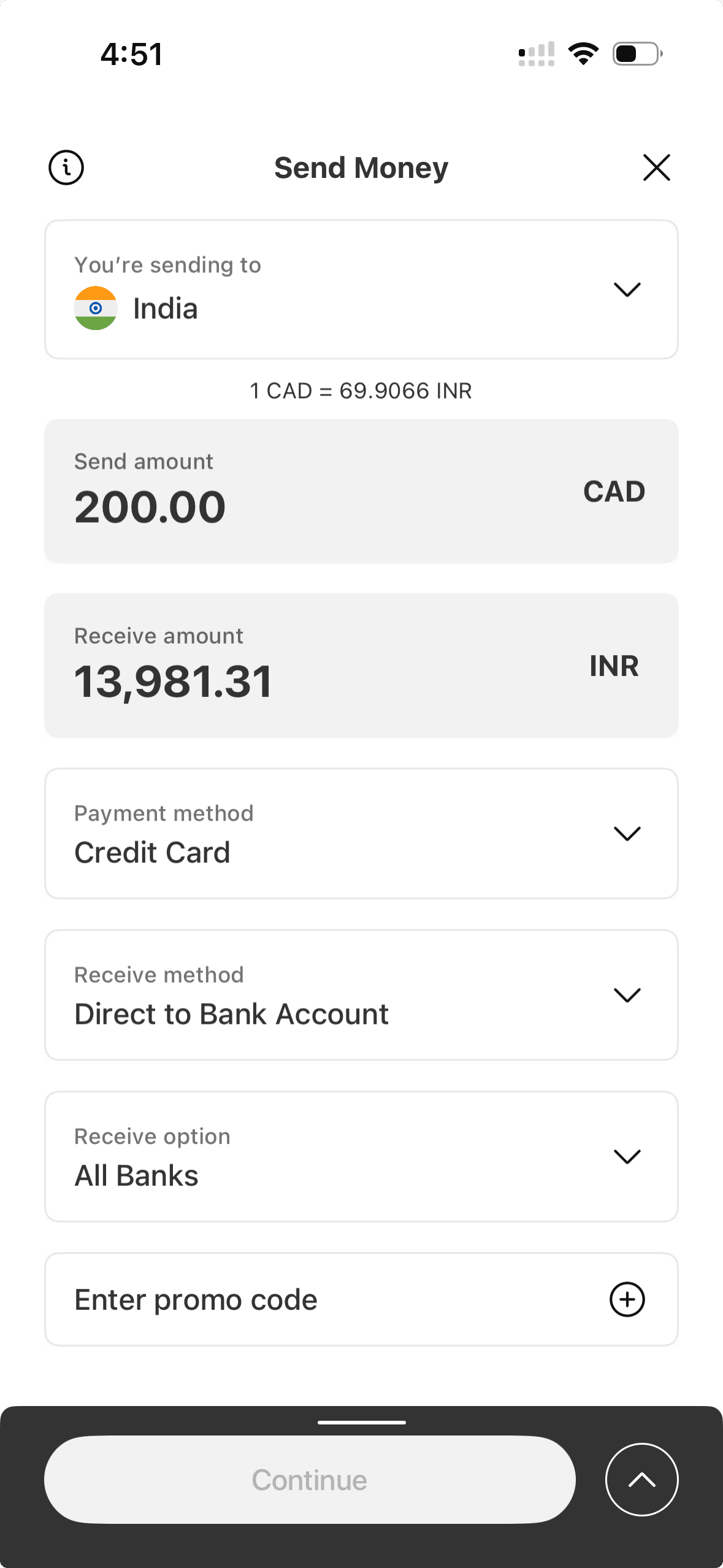
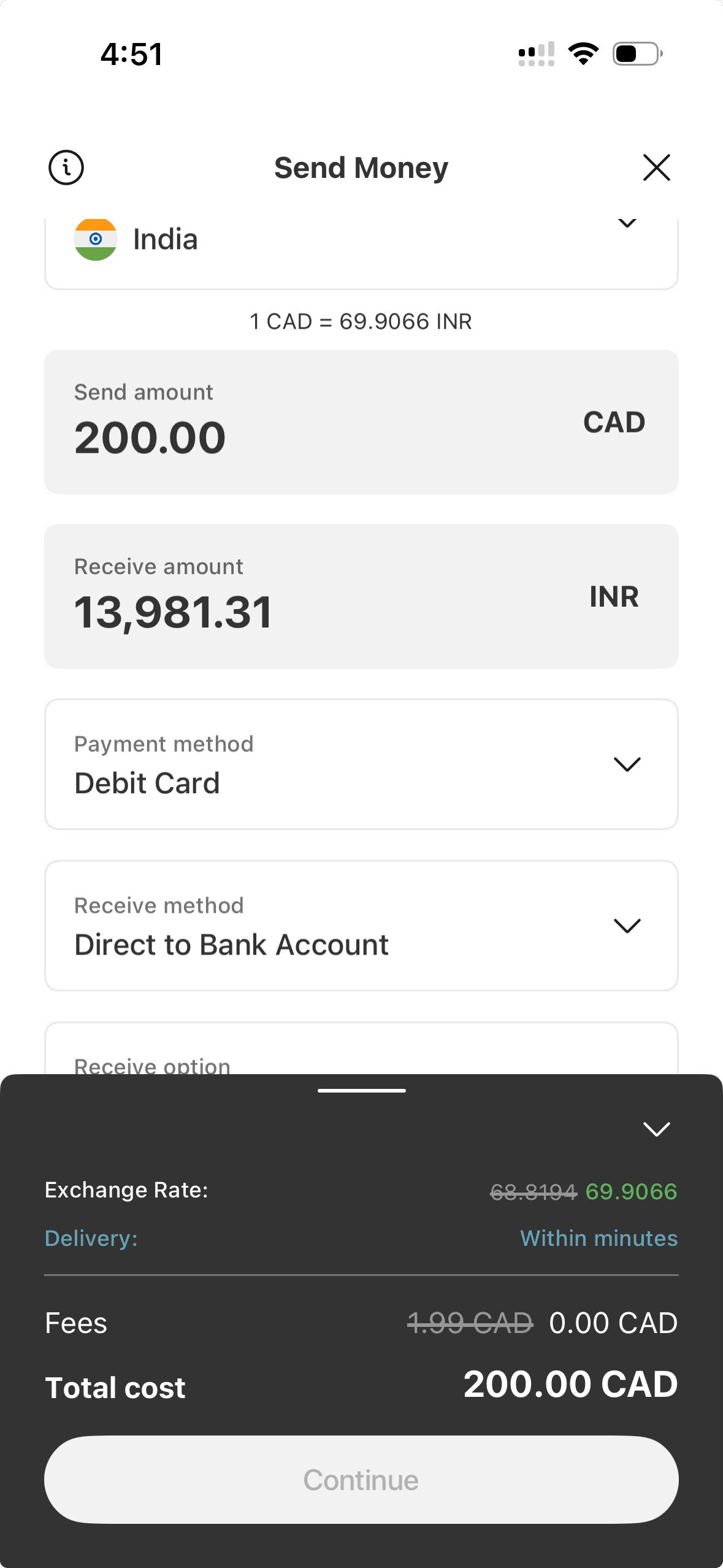
When we tried to send $200 to India with MoneyGram and pay with a debit card, we were quoted an exchange rate 1.45% above the market rate and a fee of $1.99. That’s a total markup of 2.45%, which is far from the cheapest. For comparison, Western Union charged exactly the same amount for the same transaction, while Pesa charged 0.53%.
$1,000 send
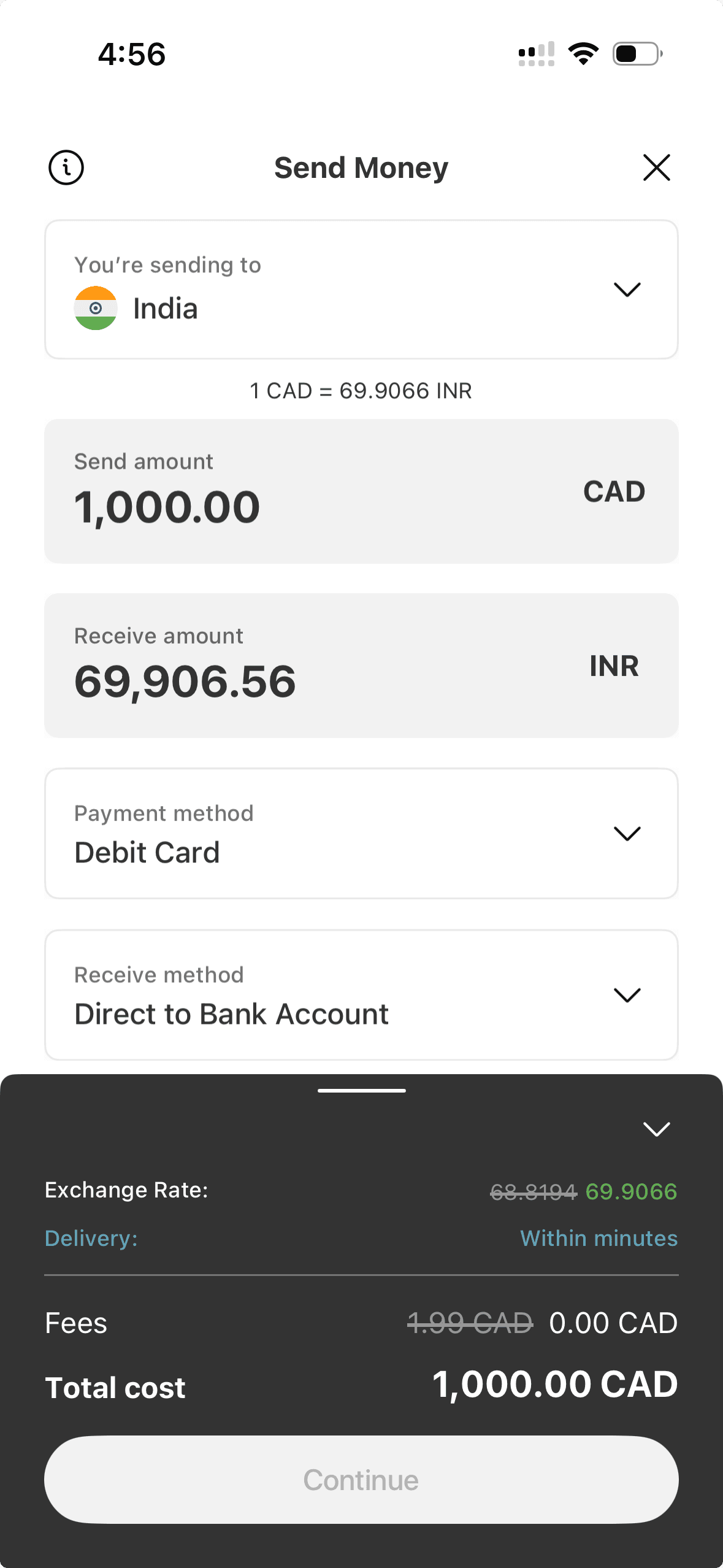
MoneyGram offered a much smaller exchange rate markup of 0.46% for a $1,000 send to India, plus a fee of $1.99. That’s a total transaction cost of 0.66%, which is quite competitive once again but more expensive than Western Union’s 0.48% cost for the same transfer.
What are MoneyGram’s transfer fees?
MoneyGram doesn’t charge a flat fee across all transfers. Instead, the fee you pay varies depending on:
- Where you send money
- How much you send
- How you pay for your transfer
- The payout method
We experimented with transfers to a variety of different countries using MoneyGram’s online cost calculator. We found that most transfers incurred a fee ranging anywhere from $1 to $6. Higher fees also tend to apply if you initiate your transfer in-store at an agent location.
Of course, transfer fees aren’t the only expense you need to watch out for when sending an international transfer. MoneyGram also imposes an exchange rate markup when you convert your Canadian dollars to a foreign currency.
Calculating MoneyGram’s cost markup for money transfers
MoneyGram’s costs vary depending on the country. To find the true markup, we mapped out a $200 transfer to several destinations, adding up the transfer fees and exchange rate differences.
| Country | Mid-market rate (1 CAD) | Exchange rate offered (1 CAD) | Fee charged | Exchange rate markup | Fee markup | Total cost markup |
|---|---|---|---|---|---|---|
| Bangladesh | 88.89 BDT | 87.22 BDT | $4.99 | 1.88% | 2.50% | 4.38% |
| Philippines | 44.44 PHP | 44.12 PHP | $3.49 | 0.72% | 1.75% | 2.47% |
| Jamaica | 114.12 JMD | 112.08 JMD | $1.99 | 1.79% | 1% | 2.79% |
| Australia | 1.01 AUD | 0.99 AUD | $4.99 | 1.98% | 2.50% | 4.48% |
| France | 0.62 EUR | 0.62 EUR | $4.99 | 0% | 2.50% | 2.50% |
| Cameroon | 408.20 XAF | 399.70 XAF | $3.89 | 2.08% | 1.95% | 4.03% |
| Brazil | 3.63 BRL | 3.55 BRL | $4.99 | 2.20% | 2.50% | 4.70% |
| United States | 0.72 USD | 0.71 USD | $1.99 | 1.39% | 1% | 2.39% |
| Uganda | 2,730.55 UGX | 2,690.00 UGX | $4.99 | 1.49% | 2.50% | 3.99% |
| Mexico | 12.52 MXN | 12.37 MXN | $4.89 | 1.20% | 2.45% | 3.65% |
Rates as at May 25, 2026
How long does an international MoneyGram money transfer take?
MoneyGram transfer speeds vary depending on factors such as where you’re sending money, how you pay for the transfer, and how your recipient will access the funds. If speed is important, mobile wallet transfers take a few minutes, while cash pickup transfers are ready to collect in as little as 10 minutes.
But if you’re sending money to someone’s bank account, it could take 3 business days for your recipient to receive their funds. Home delivery, where available, also usually takes up to 3 business days.
What’s it like to use the MoneyGram app?
We found the app to be very easy to use. The MoneyGram app sports a clean, user-friendly interface, so it’s simple to sign up, add a recipient and send money abroad. The layout is intuitive and easy to navigate, allowing you to do what you need to do in just a couple of minutes.
You can also use the app to:
- Log in using biometrics. Both face and fingerprint recognition can be used to log in.
- Check exchange rates on the go. Current currency exchange rates and fees can be found in the app.
- Share order details with your recipient. Sending key order information, like the transaction reference number, to your recipient can be done with just a few taps.
- Find an agent location using GPS. Use the in-app map to find agent locations based on your GPS or around the world.
- Track transfers. Check on the status of your transfer directly in the app.
MoneyGram app ratings
| Platform | Ratings |
|---|---|
| Google Play Store | 4.5 stars, based on 86,000+ reviews |
| Apple App Store | 4.9 stars, based on 668,000+ reviews |
| Trustpilot | 4 stars, based on 46,000+ reviews |
As at May 26, 2026
What do MoneyGram reviews say?
MoneyGram user reviews generally tend to be positive, but the company has received negative feedback from some users. On the positive side of the equation, customers praise MoneyGram for fast transfers, ease of use and excellent customer support. Customers who left negative reviews mentioned factors such as delayed transfers and transaction fees.
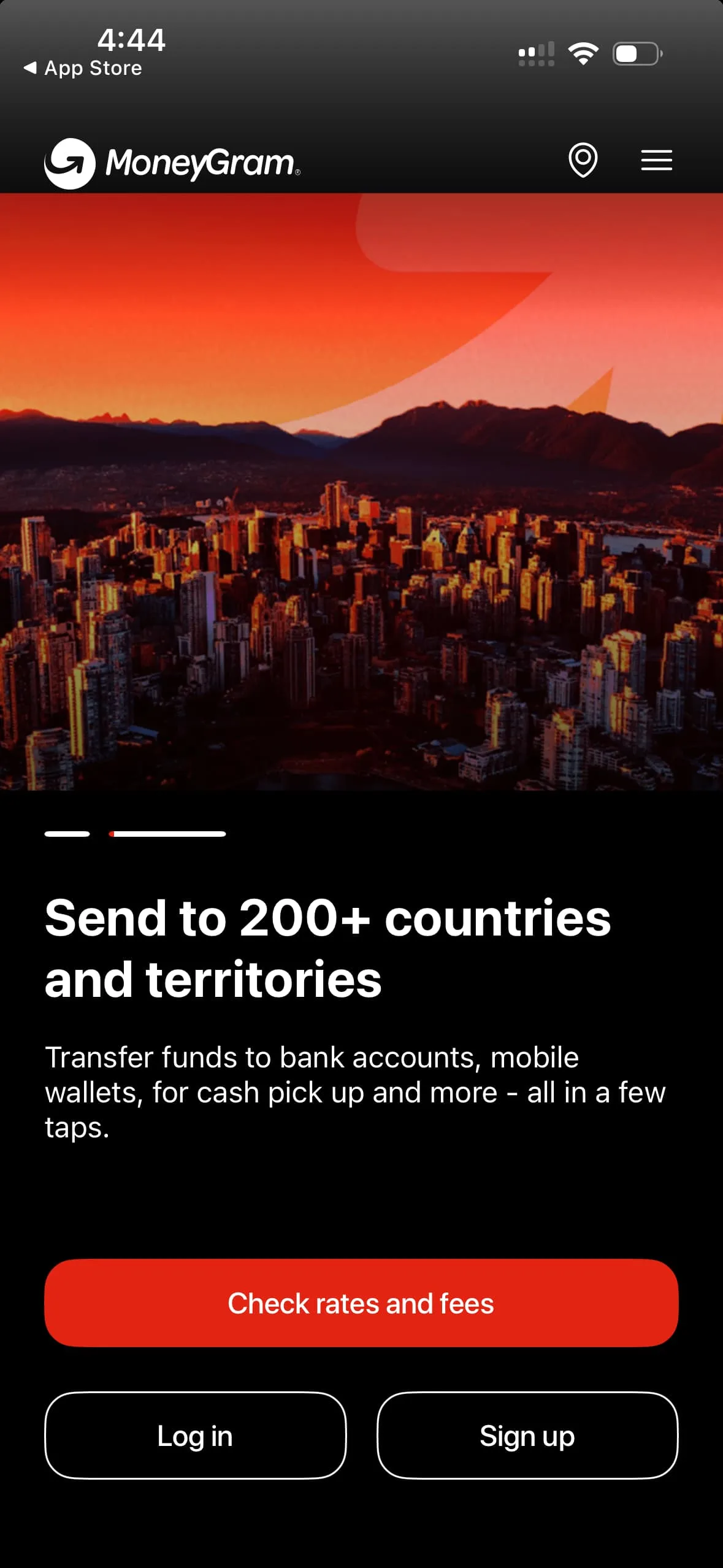
Preview of the MoneyGram app
How to send money with MoneyGram
The exact steps you need to follow will vary slightly depending on whether you send a transfer in the MoneyGram app, online or at an agent location. Here’s how to send money using the app.
- Download the app. Download the MoneyGram app to your smartphone.
- Sign up. You’ll need to enter your personal information and contact details, plus provide proof of ID.
- Enter your recipient’s details. Provide your recipient’s name, how they will receive the funds, and other required information (such as their bank account details).
- Choose the amount. Enter the amount of money you want to send.
- Choose your payment method. Choose whether you want to pay by debit card or credit card.
- Review and send. Check the total cost of your transfer and all other transaction details before sending funds.
How to send a MoneyGram transfer in person
- Find a location. Use the location finder tool on the MoneyGram website or app to find your nearest branch.
- Visit a location. You’ll need to visit a location and provide a valid government-issued photo ID to confirm your identity.
- Provide your recipient’s details. You will need to provide your recipient’s full name and address, plus any other required information (such as their bank account details).
- Pay for your transfer. Fill out a transfer form and pay the transfer amount plus a fee. You can pay using cash or a debit card.
How to track a MoneyGram transfer
Find your reference number on your receipt or in your email. To track, you can:
- Use the online Track a Transfer tool by entering your last name with the authorization or reference number.
- Contact customer service and provide the reference number and your last name to check the status of your order.
- Visit a MoneyGram location and provide your information to the agent to find out where your order is and if it has been picked up or not.
MoneyGram scams to watch out for
Because MoneyGram transfers cannot be cancelled once the recipient has collected the money, they’re a popular target for scammers. Common consumer scams, according to MoneyGram, include:
- CRA extortion scam. A person claiming to be from a government agency asks for money to cover back debts owed to the CRA. To do so, the person claims you must wire money or send a prepaid card to a “government account.”
- Refund scams. A person claims to be working for a governmental anti-fraud organization and promises to help you get a refund from the agency, sent directly to your bank account.
- Disaster relief. After a major disaster, scammers set up fake charities and ask for donations.
- Foreign lottery. A person contacts you claiming you won a foreign lottery or sweepstakes, but due to international tax laws, you must pay a fee upfront to claim your prize.
- Buying a vehicle. An online or newspaper ad for a vehicle seems too good to be true, and to secure the vehicle, you must send a down payment before meeting with the person.
Fraud can be reported through MoneyGram’s website or over the phone. Additionally, fraud can be reported to the Canadian Anti-Fraud Centre as well as your provincial or territorial consumer protection agency.
Bottom line
MoneyGram is a legit option if you need to send money internationally. It’s very easy to use, offers flexible payout options, and lets you send funds to locations all over the world. It’s also a good option when you need to send money to someone urgently, allowing you to get funds to your recipient within minutes.
But we found that exchange rate markups and MoneyGram fees could increase the cost of your transfer by 2 – 5%, so it’s worth comparing other options if you’re searching for the cheapest transfer provider.
Frequently asked questions
Sources
Your reviews

Tim Finder
Writer
You are about to post a question on finder.com:
- Do not enter personal information (eg. surname, phone number, bank details) as your question will be made public
- finder.com is a financial comparison and information service, not a bank or product provider
- We cannot provide you with personal advice or recommendations
- Your answer might already be waiting – check previous questions below to see if yours has already been asked
Finder only provides general advice and factual information, so consider your own circumstances, or seek advice before you decide to act on our content. By submitting a question, you're accepting our Terms of Use & Privacy Policy and Privacy and Cookies Policy.
This site is protected by reCAPTCHA and the Privacy Policy and Terms of Service apply.