RemitBee Review: How Does It Compare in 2026?


- Number of Currencies
- 51
- Minimum Transfer Amount
- $10
- Pay By
- Debit card, Bank transfer, Interac e-Transfer, Online bill payment, Direct debit (EFT), Interac Online
- Fees (Pay by Bank Transfer)
- From $0
Our verdict
RemitBee offers flat transfer fees and fee-free options, but its exchange rates aren't as competitive as other international money transfer services we tried.
We tested 19 international money transfer services and found that RemitBee stands out for its low fees, easy-to-use app and wide range of payment and payout options.
While RemitBee wasn't always the cheapest option for smaller transfers under $500, we found it becomes significantly more competitive for larger amounts as fees are waived when you fund transfers over $500 using Interac e-Transfer, EFT or bill payment.
RemitBee also supports sending money to 100 countries, including several destinations that aren't widely supported by other providers we tried. This broader coverage, combined with its transparent pricing and competitive rates on larger transfers, makes it a strong option for Canadians sending money internationally.
Pros
-
No fees on certain transfers over $500
-
Competitive exchange rates
-
User-friendly app
-
Instant transfers available
Cons
-
Can't pay by credit card
-
High fees for debit card funding
What is RemitBee?
RemitBee is a Canadian fintech platform that was launched in 2015 by Canadian immigrants with the goal of offering other immigrants a low-cost way to move money internationally. Now, it offers currency exchange, mobile top-ups, gift cards, bill payments, travel eSIMs and business accounts in addition to its international money transfer service through its website and mobile app.
Canadians can send money to 100 countries with RemitBee and fund those transfers using Interac e-Transfer, electronic funds transfer (EFT), bill payment or debit card. Funds can typically be delivered to bank accounts, mobile wallets or cash pickup locations, depending on the destination country.
Is RemitBee legitimate in Canada?
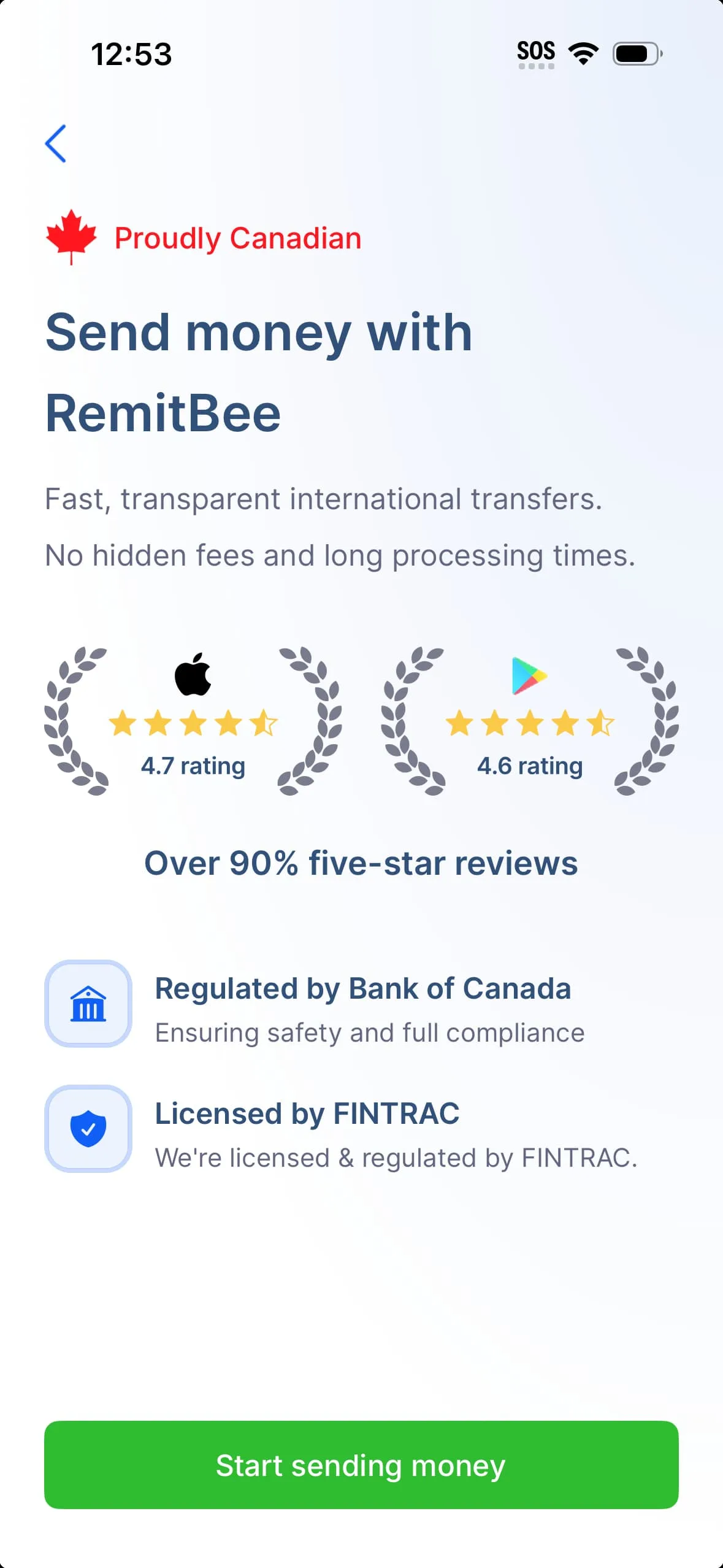
Yes, RemitBee is a legitimate financial services company in Canada. It’s incorporated as Remitbee Incorporated in Ontario with a headquarters in Mississauga. It’s also registered with the Financial Transactions and Reports Analysis Centre of Canada (FINTRAC) as a Money Services Business, which means it’s regulated under Canadian anti-money laundering and know-your-customer requirements.
Is RemitBee safe?
Yes, RemitBee highlights strong security measures like 256-bit SSL encryption, fraud detection services and partnerships with cybersecurity providers like McAfee and Microsoft Azure. It also offers a 100% money-back guarantee if a transfer doesn’t reach the recipient, along with regular audits and compliance practices.
A closer look at the pros and cons
Pros
- Low money transfer fees. You'll pay zero fees for transfers above $500 CAD if you fund your transfer with an Interac e-Transfer, EFT or bill payment.
- Competitive exchange rates. RemitBee's markup ranges from 0% to 3%, which can be cheaper than Canadian banks.
- Money-back guarantee. RemitBee offers a 100% money-back guarantee should anything go wrong with your transfer.
- Multiple countries and currencies. Send money to 100 countries in the local currency or USD.
- Personal or business. Send money abroad for personal or business use.
- Referral program. When you refer a friend, you'll get $20 when they complete a qualifying transaction, and they'll get $10 when they sign up.
- Easy-to-use website and app. We were able to sign up and start a transfer in about 5 minutes.
- Multiple payment options. Pay via e-transfer, EFT, debit card or bill payment.
- Multiple receiving options. Send money to your recipient's bank account, mobile wallet or a cash pickup location.
- 24/7 customer support. Receive support through live chat, phone or email.
- First transaction promotions. RemitBee offers new customer promotions that seem to vary depending on whether you're sending money via the website or mobile app. For example, we were offered no transfer fees on the mobile app and, on the website, a special exchange rate of 1 CAD = 48.03 PHP for the first $250 sent to the Philippines, while the normal exchange rate was 1 CAD = 44.27 PHP.
Cons
- Transaction limits. Personal money transfers are limited to $20,000 CAD per day and a maximum of $200,000 CAD per month. On the other hand, business money transfers are limited to $250,000 CAD per day and $1,000,000 CAD per month.
- No credit cards. You can't use your credit card to pay for your transfer.
- No transfers within Canada. You can only use RemitBee if you're sending money abroad.
- Can't receive money. You can't use RemitBee to receive money from abroad.
- Fewer countries and currencies. RemitBee is aiming to add more to the list, but for now, you can only send money to 100 countries.

8.5 Great
Fees (Pay by Bank Transfer)
From 0.48%
Min. Transfer Amount
$1
Fastest Transfer Speed
-

8 Great
Fees (Pay by Bank Transfer)
$0
Min. Transfer Amount
$1
Fastest Transfer Speed
Within minutes

8.6 Great
Fees (Pay by Bank Transfer)
From $0
Min. Transfer Amount
$1
Fastest Transfer Speed
Within minutes
Testing the RemitBee app to see how much it really charges
To evaluate RemitBee’s pricing, we tested $200 transfers from Canada to India and Ukraine and compared the exchange rates and fees against the mid-market rate. We then calculated the total cost markup and compared the results against 18 other money transfer services.
We found that RemitBee isn’t the most competitive option for smaller transfers. For example, when sending $200 to India, the lowest total markup with RemitBee was 1.97%, which was cheaper than traditional banks but higher than competitors like Pesa at 0.53% and Paysend at 0.39%.
RemitBee’s total cost markup dropped to 0.76% when sending $1,000 to India, which brought it closer to Pesa (0.53%) and Instarem (0.63%), but it still wasn’t the cheapest option.
What are RemitBee’s transfer fees?
Like other money transfer services we tried, RemitBee’s transfer fees vary depending on the amount and payment method. However, unlike other platforms, RemitBee charges the same fee across destinations. Here’s what you can expect to pay:
| Payment method | Below $500 | Above $500 |
|---|---|---|
| Debit card | $2.99–$6.99 | $8.99+ |
| Interac e-Transfer | $2.99 | Free |
| Electronic funds transfer | $2.99 | Free |
| Bill payment | $2.99 | Free |
We calculated RemitBee’s cost markup for money transfers
To give you a better idea of how much RemitBee actually costs, here’s a breakdown for sending a $200 international transfer funded by Interac e-Transfer to a recipient’s bank account in 10 different countries.
| Country | Mid-market rate (1 CAD) | Exchange rate offered (1 CAD) | Fee charged (CAD) | Exchange rate markup | Fee markup | Total cost markup |
|---|---|---|---|---|---|---|
| India | 68.67 | 68.39 | $2.99 | 0.41% | 1.50% | 1.91% |
| Philippines | 44.72 | 44.30 | $2.99 | 0.94% | 1.50% | 2.44% |
| Mexico | 12.56 | 12.35 | $2.99 | 1.67% | 1.50% | 3.17% |
| Pakistan | 202.02 | 201.12 | $2.99 | 0.45% | 1.50% | 1.95% |
| Colombia | 2669.47 | 2562.15 | $2.99 | 4.02% | 1.50% | 5.52% |
| Sri Lanka | 239.27 | 238.50 | $2.99 | 0.32% | 1.50% | 1.82% |
| Bangladesh | 88.77 | 87.83 | $2.99 | 1.06% | 1.50% | 2.56% |
| Thailand | 23.60 | 23.39 | $2.99 | 0.89% | 1.50% | 2.39% |
| United Kingdom | 0.54 | 0.53 | $2.99 | 1.85% | 1.50% | 3.35% |
| United Arab Emirates | 2.65 | 2.61 | $2.99 | 1.51% | 1.50% | 3.01% |
As of June 1, 2026
How long does an international RemitBee money transfer take?
Transfer times typically depend on the destination country, payment method and payout option selected, but RemitBee estimates the following processing speeds:
- Electronic funds transfer: 2 to 3 business days
- Interac e-Transfer: 30 minutes
- Bill payment: 1 to 2 business days
- Debit card: Instant
You’ll be able to see the estimated delivery time and fees for each payment method before you complete your transfer so you can choose the quickest (or cheapest) one.
What’s it like to use the RemitBee app?
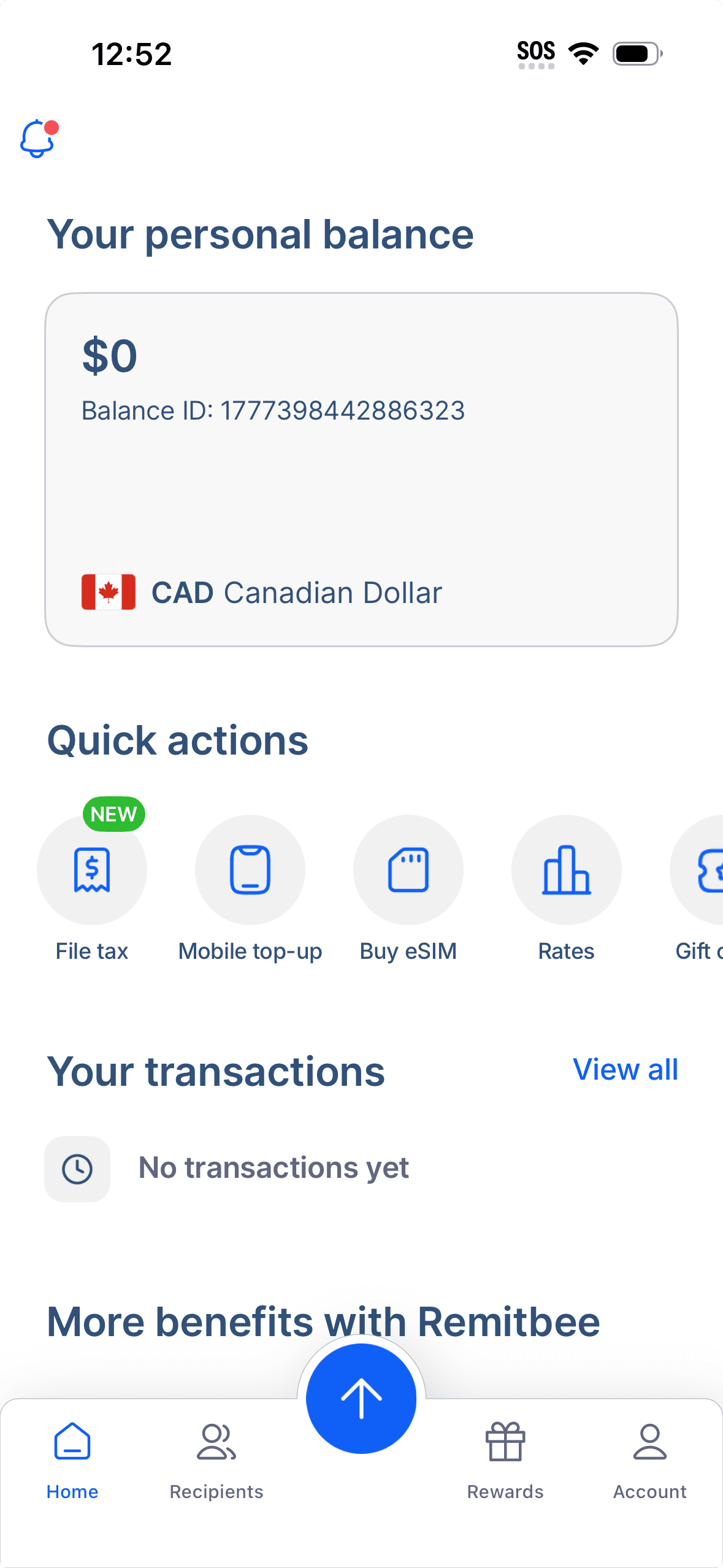
The RemitBee app was very user-friendly and offered more features than some of the other international transfer apps we tested. Beyond sending money, it allows you to top up your RemitBee balance for instant transfers whenever you want, open a business account, purchase an eSIM and even file your taxes.
We also liked that you can see RemitBee’s exchange rates without even having to initiate a transfer and that you can set rate alerts to track your preferred currencies in real time.
RemitBee app ratings
| Platform | Ratings |
|---|---|
| Google Play Store | 4.2 stars, based on 1,700+ reviews |
| Apple App Store | 4.7 stars, based on 4,500+ reviews |
| Trustpilot | 4.4 stars, based on 500+ reviews |
As of June 1, 2026
What do RemitBee reviews say?
RemitBee has fewer than 1,000 reviews on Trustpilot, but most of them are positive. Users praise RemitBee’s responsive customer support, fast transfer times and competitive exchange rates. Some also note that they like the tiered verification system, as it adds an extra level of security, but the verification process can be long.
On the downside, some reviewers report delays beyond the estimated transfer times or cancellations that they didn’t request. In these cases, users say it then took weeks to receive a refund and they still had to pay a fee to withdraw their funds even though the cancellation was not initiated by them.
Preview of the RemitBee app
How to send money with RemitBee
- Set up an account. Use RemitBee’s mobile app or website to create an account with just your email address and a password.
- Start the transfer. Click on the arrow at the bottom of the website or mobile app and select Send money.
- Add a recipient. Select + Add a recipient and choose the destination country. Then, choose how you want the recipient to receive the money and add the necessary information, like their name, account number, address and contact number.
- Enter your sending amount. Input the amount you want to send in CAD, and you’ll see RemitBee’s exchange rate and the amount your recipient will receive in their currency.
- Complete the identity verification. Before you send your first transfer, you’ll have to verify your identity by taking a picture of your driver’s licence, provincial ID, passport or permanent resident card. Then, take a selfie video to show that your face matches your ID.
- Select a payment method. Pay for your transfer with an electronic funds transfer, Interac e-Transfer, bill payment or debit card. You’ll be able to see the fees and estimated delivery time for each payment method.
- Review your transfer. Double-check all the information and select Confirm and send to send your money.
What types of transfers can you make with RemitBee?
Although it varies from country to country, RemitBee offers a range of ways you can send money, including:
- Bank transfer. Your chosen bank account will receive a direct deposit of your funds. RemitBee has established partnerships with numerous banks worldwide to guarantee the secure and punctual delivery of your money.
- Mobile wallet. Your money will be deposited into the recipient’s mobile wallet account linked to their phone number (e.g. GCash in the Philippines). This option is helpful if your recipient doesn’t have a bank account or isn’t near a cash pickup location.
- Cash pickup. You can send money to a RemitBee cash pickup location for your recipient to collect in person. If you choose this option, the person picking it up will need a valid photo ID on hand and the reference number.
- RemitBee Balance. If your recipient also has a RemitBee account, you can send funds directly to their RemitBee Balance.
How much is the transaction limit or sending limit?
RemitBee’s sending limits vary depending on your verification level. There are 4 levels of verification:
Level 1
To use RemitBee, you’ll need to verify your identity with a valid government-issued ID, like a driver’s licence or passport, and a selfie verification.
- Daily limit: $1,000 CAD
- Monthly limit: $3,000 CAD
Level 2
To move up a level, you must provide additional documentation, including proof of address and proof of bank account.
- Daily limit: $3,000 CAD
- Monthly limit: $25,000 CAD
Level 3
This level requires video verification, where you record yourself with your ID and follow on-screen prompts, like saying today’s date.
- Daily limit: $9,000
- Monthly limit: $60,000
Level 4
To get to Level 4, you must:
- Complete Level 3 verification
- Have a RemitBee account older than 3 months
- Complete at least 2 transactions
- Fill out a short questionnaire
Then you can take advantage of the highest transaction limits:
- Daily limit: $20,000 CAD
- Monthly limit: $200,000
What payment methods does RemitBee accept?
You can fund a RemitBee transfer using a debit card, Interac e-Transfer, electronic funds transfer or bill payment. Using a debit card is the most expensive option, while transfers funded through Interac e-Transfer, EFT or bill payment are free for amounts over $500.
If you want to complete instant transfers in the future, you can load money into your RemitBee Balance via Interac e-Transfer, EFT or bill payment. This ensures your funds are readily available to send when exchange rates are favourable, without you having to wait for your payment to clear each time you make a transfer.
Once your balance is funded, transfers can be processed immediately. Just keep in mind that there’s a fee of $5 to withdraw any unused funds.
Bottom line
RemitBee is a legitimate Canadian money transfer service that offers competitive pricing, especially for transfers of $500 or more. We liked its simple app experience, fee-free funding options and useful extras like rate alerts and the RemitBee Balance for faster and cheaper future transfers.
While it’s not the cheapest option among the 19 international money transfer providers we tested, we think it’s still a strong contender for Canadians looking for an easy and reliable way to send money abroad, especially for those who want to support Canadian-run businesses.
Frequently asked questions
Sources
Your reviews