Wise Review: Is It Better Than Competitors in 2026?


- Number of Currencies
- 50+
- Minimum Transfer Amount
- $1
- Pay By
- Credit card, Debit card, Bank transfer, Interac e-Transfer, Online bill payment, Direct debit (EFT)
- Fees (Pay by Bank Transfer)
- From $0
Summary
Wise (formerly TransferWise) offers competitive rates only some of the time, but it is consistently transparent.
I downloaded and tested 19 money transfer apps, including Wise. I've found that it's not the cheapest option for small transfers to high-volume transfer destinations like India, but it is well worth a look if you’re sending at least $1,000, or if you’re sending money to a less popular transfer destination.
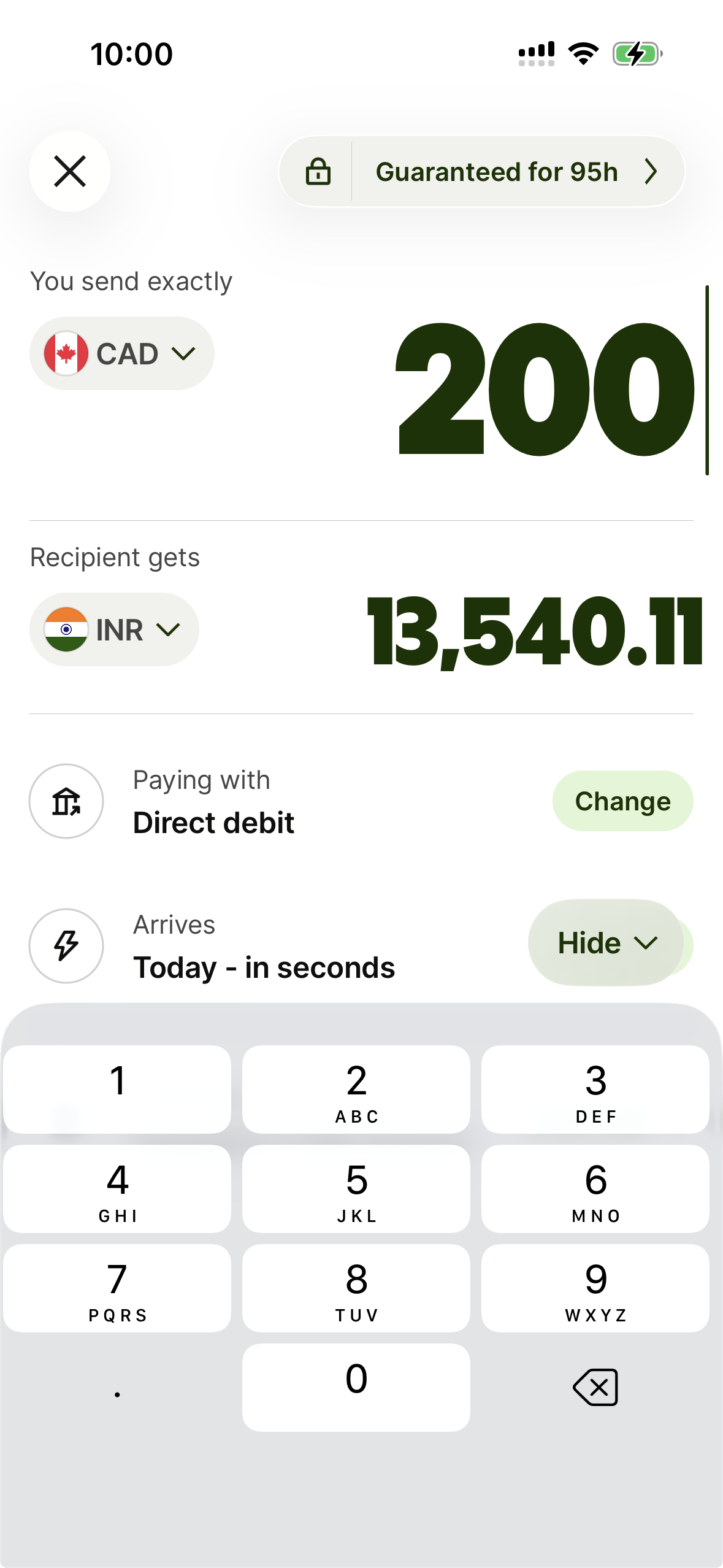
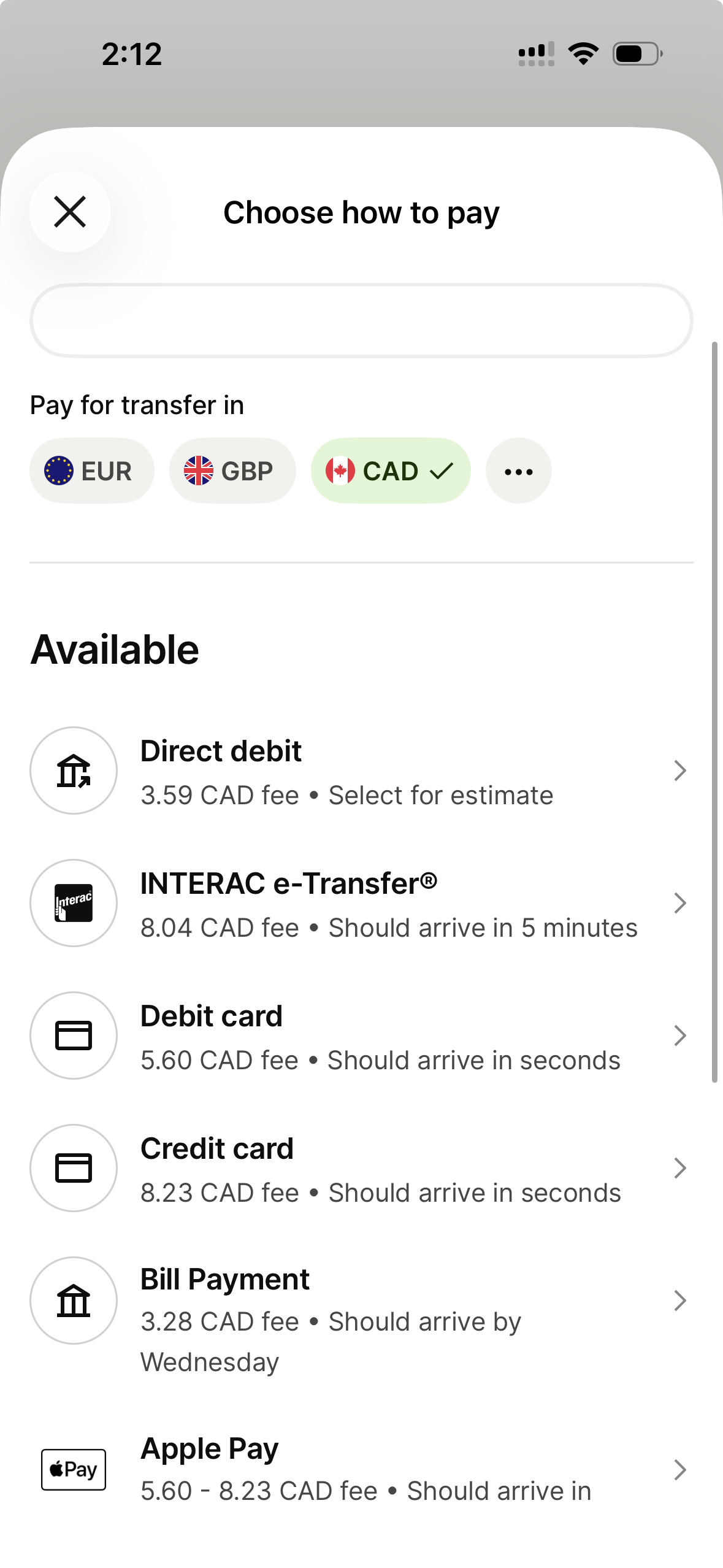
What I appreciate most about Wise is its transparency. The app shows the real-time exchange rate, confirms whether that rate is guaranteed, and displays the exact amount the recipient will receive after all fees. It also clearly outlines all available payment methods and their respective costs, making it easy to choose the cheapest option.
Pros
-
Transfers within minutes
-
Competitive rates available
-
Transparent fees
-
Easy-to-use app
Cons
-
Not always the cheapest
-
Select payment methods may be expensive, like e-Transfer or debit card
What is Wise?
Wise is an international money transfer service and payment network that offers transfers to 52 countries and the European region with zero markup on the exchange rate. Instead of profiting from the spread (the difference between the buy and sell price), Wise charges a clear, upfront service fee.
Beyond transfers, Wise offers a multi-currency account that allows you to hold and convert funds in 50+ currencies, paired with an international debit card for travel.
Is Wise legitimate in Canada?
Yes. In Canada, Wise is regulated as a Money Services Business (MSB) by the Financial Transactions and Reports Analysis Centre of Canada (FINTRAC).
A closer look at the pros and cons
Pros
- Easy to use. You can sign up and initiate your first transfer in minutes.
- Affordable. Compared to traditional banks, Wise's total costs are almost always lower. Compared to other money transfer specialists, it can be cheaper or more expensive depending on the country and the amount you're sending.
- No exchange rate markup. Wise uses the same rate you see on Google, so you don't have to guess the "real" cost.
- Transparent fees. No matter which payment method you use, Wise gives a clear breakdown of how much you can expect to pay.
- Multiple ways to pay. Wise supports Interac e-Transfer, debit/credit cards, bill payments and Apple/Google Pay.
- Flexible limits. Whether you need to send less than $10 (though it's expensive for very small amounts) or up to $1,500,000 CAD, Wise can handle the volume.
- Predictable speed. Wise provides a delivery estimate for every payment method before you hit "send."
- Fast. You can send transfers within seconds or minutes.
- 24/7 support. Wise's phone lines are open 24/7. You can also email or chat with its team.
- Guaranteed rate. Wise will guarantee a rate for up to 95 hours, depending on the currency route.
- Multi-currency account. You can hold 50+ currencies and use the debit card when travelling abroad.
Cons
- No cash pickup. Unlike brands like Western Union or MoneyGram, there is no option for physical cash collection.
- Support hurdles. While Wise offers help via chat, email or phone, some users find it difficult to reach a human representative quickly during urgent issues.
- Not always competitive. Wise doesn't always offer the lowest fees, so it's best to compare with other apps.
Testing the Wise app to see how much it really charges
To ensure a fair comparison against shifting market rates, I tested 19 money transfer apps on the same afternoon. I ran test scenarios for transfers from Canada to India and Ukraine using various payment methods. For each app, I recorded the offered exchange rate, the mid-market rate and the transfer fees to calculate the true total cost markup. Here’s how Wise compares.
The verdict: If you are sending a few hundred dollars to high-competition routes like India, specialists like Pesa and Paysend may beat Wise on price. However, for larger transfers (e.g. $1,000+) or less popular routes, Wise remains a legitimate contender.
For example, for a $200 send to India, Wise’s cheapest option had a cost markup of 1.64%. Western Union’s was 1.47%, Xe’s was 2.51%, Pesa’s was 0.53%, and Paysend’s was 1.01%.
For a $200 send to Ukraine, Wise’s lowest markup was 2.57%. Western Union’s was 4.00%, Remitly’s was 3.89%, and Remitbee’s was 2.58%. Pesa and Paysend, which had great rates for transfers to India, didn’t offer money transfer services to Ukraine.
Wise transfer fees: $200 CAD to India
Here’s a look at how much you might pay for a $200 transfer from Canada to India based on an exchange rate of 69.0499.
| Payment method | Fee | Recipient receives |
|---|---|---|
| Direct debit | $3.46 | $13,571.07 |
| Interac e-Transfer | $7.91 | $13,263.80 |
| Debit card | $5.09 | $13,458.52 |
| Credit card | $8.02 | $13,256.20 |
| Bill payment | $3.16 | $13,591.78 |
| Apple Pay | $5.09 – $8.02 | $13,458.52 – $13,256.20 |
| Domestic wire transfer | $3.16 | $13,591.78 |
How long does an international Wise money transfer take?
Wise money transfer speeds depend on the amount, payment method and when you send your transfer. Using the India example, here’s how long you can expect a transfer to take:
- Interac e-Transfer: Should arrive in 5 minutes
- Debit card: Should arrive in seconds
- Credit card: Should arrive in seconds
- Bill payment: Should arrive in 1 business day
- Domestic wire transfer: Should arrive in 1 business day
What’s it like to use the Wise app?
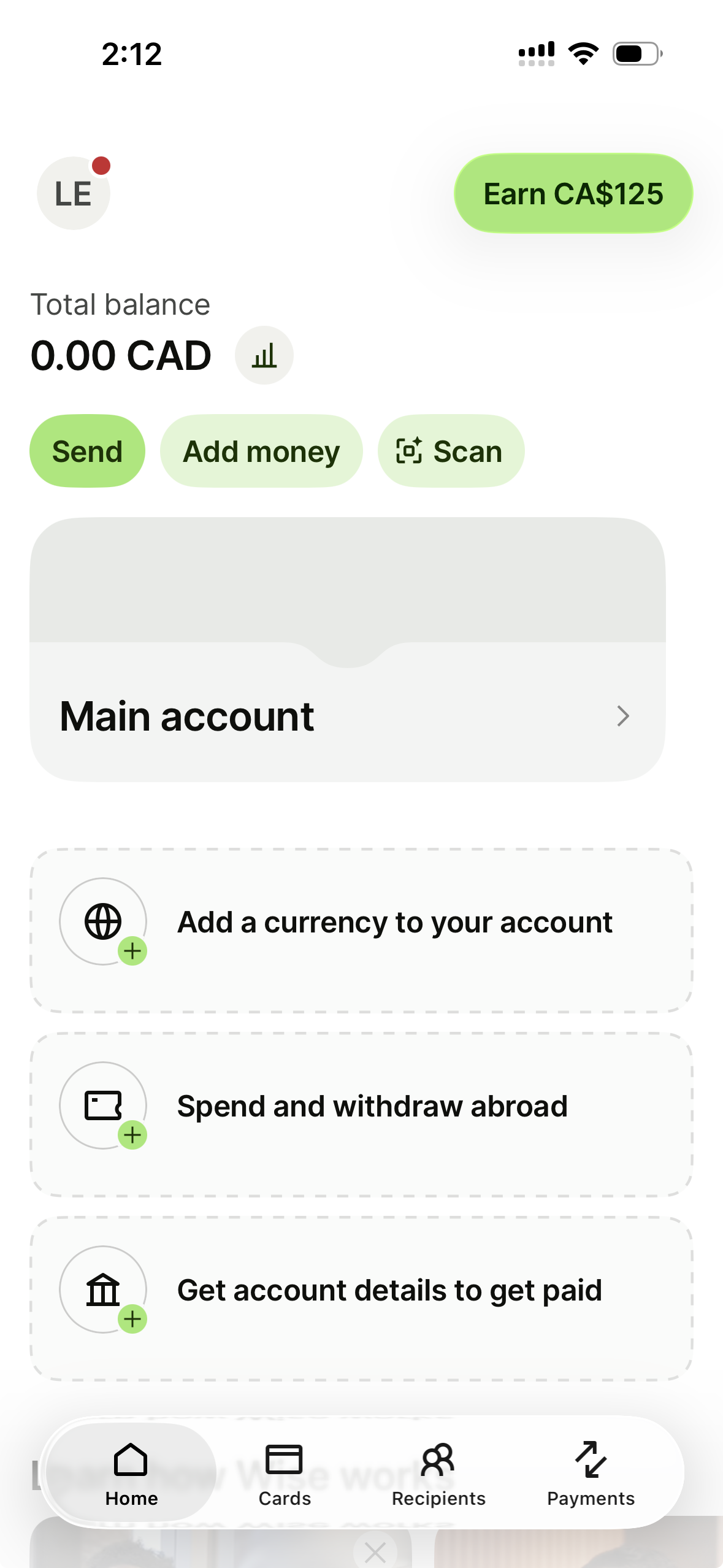
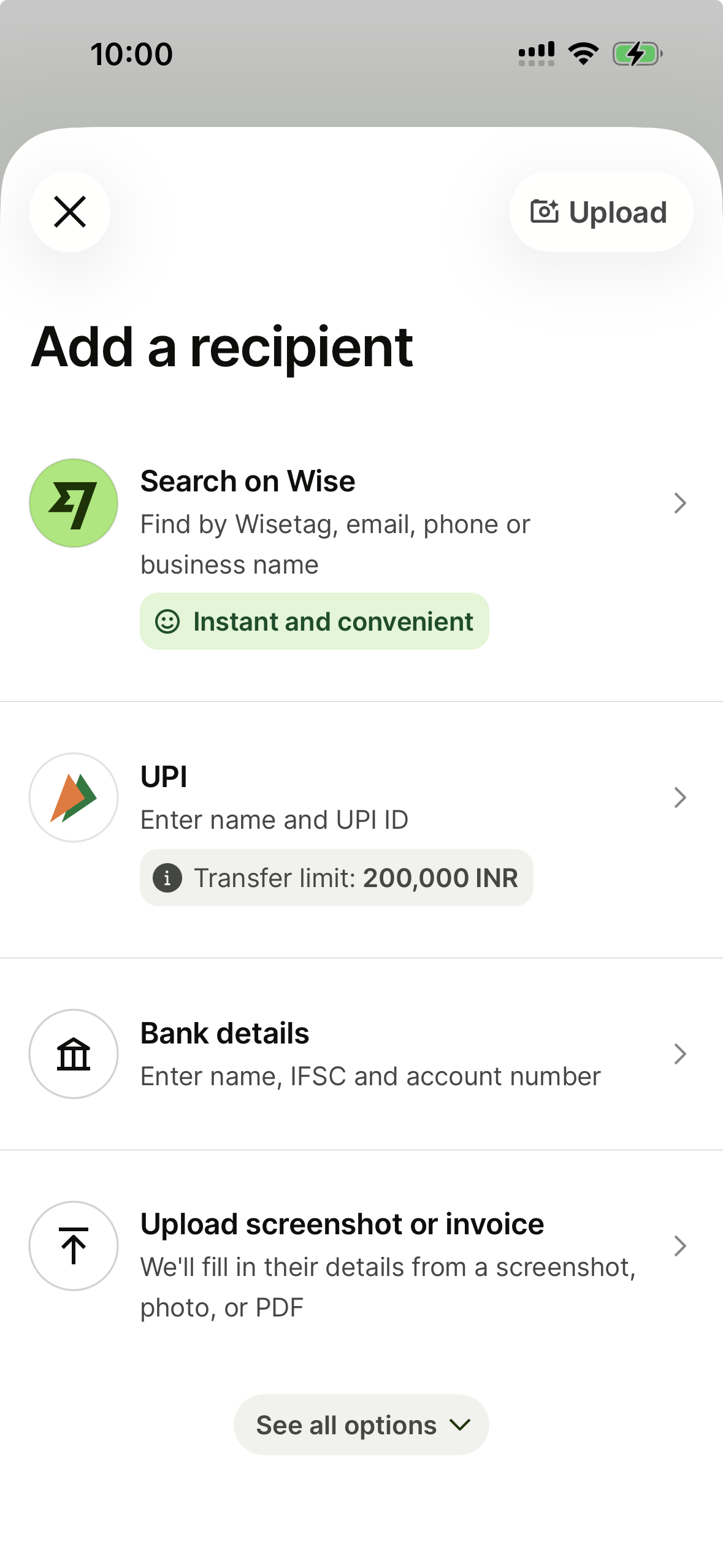
The Wise app is widely considered one of the best in the industry, and after testing 19 apps, I can agree with that. It’s uncluttered, easy to navigate, and breaks down rates and fees with total clarity. It also offers special perks: you can hold and convert 50+ currencies within the app to spend or withdraw money abroad. A Wise account gives you access to both a digital-only debit card and a physical debit card for your wallet, which you can use overseas.
Wise app ratings
| Platform | Ratings |
|---|---|
| Google Play Store | 4.7 out of 5 stars, based on 1.8m+ reviews |
| Apple App Store | 4.7 out of 5 stars, based on 33,000+ reviews |
| Trustpilot | 4.3 out of 5 stars, based on 289,000+ reviews |
As at May 2026
What do Wise reviews say?
Customers frequently praise Wise for its transparent fee structure and competitive exchange rates, which often beat traditional banks. Many reviewers highlight the platform’s speed and ease of use, specifically noting that international transfers are often completed within minutes through a user-friendly app. On the negative side, some users report frustrating experiences with customer support, citing long wait times and difficulty reaching a human representative when issues arise. Also, a segment of dissatisfied customers mentions unexpected account freezes or delays in the verification process, which can temporarily block access to their funds.
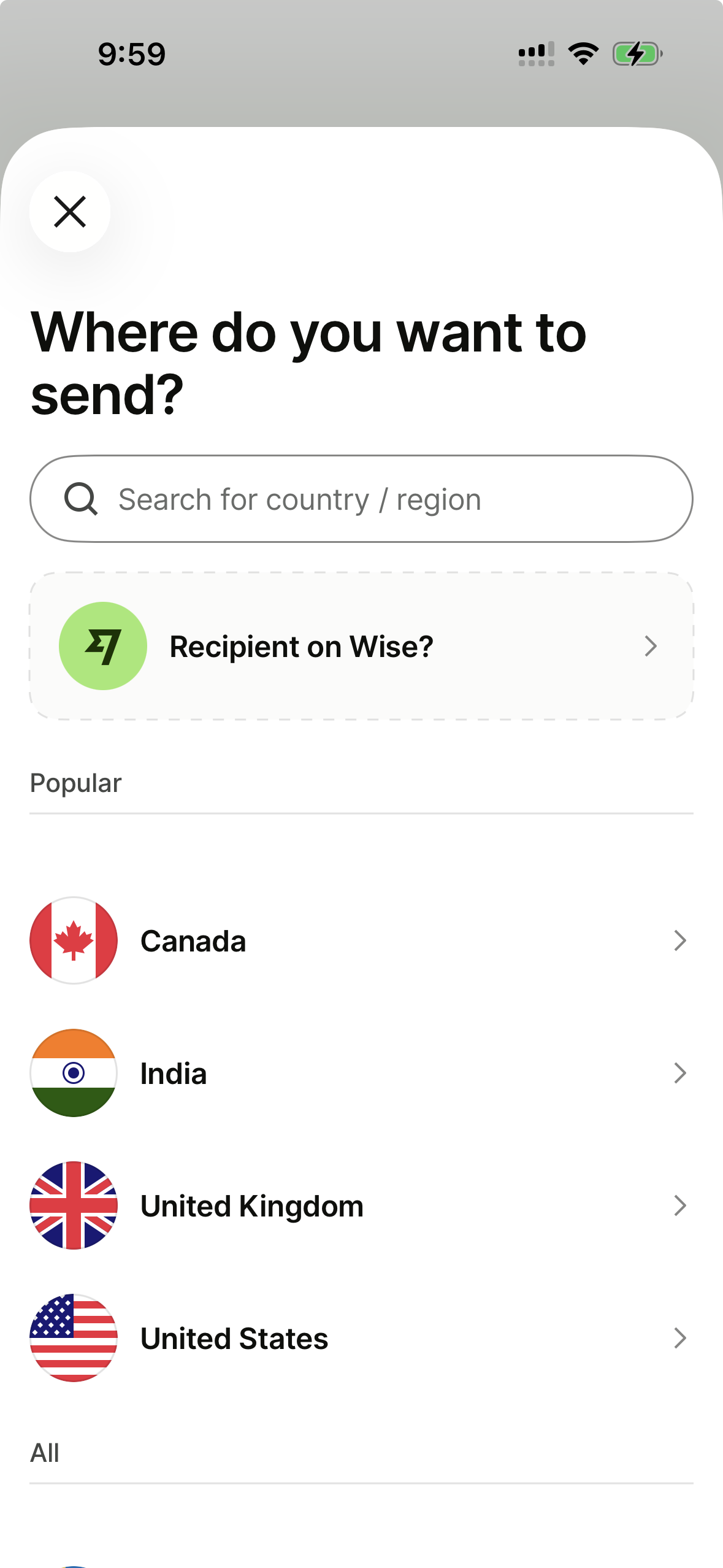
Preview of the Wise app
How to send money with Wise
Follow these six steps to send a money transfer with Wise in as little as a few minutes:
- Set up an account. Create your free account online or through the mobile app.
- Enter your sending amount. Look at the fees and the delivery time when you have entered how much you want to send and in what currency.
- Add the recipient’s info. Input your recipient’s bank account information, including routing or transit number and bank account number.
- Verify your identity. Have your passport or valid driver’s licence ready and provide evidence when prompted.
- Pay. Enter your bank account, debit or credit card details to pay.
- Track your transfer. Check the status of your transfer online or via the app.
Bottom line
Wise is definitely worth a look if you need to send money internationally, but it’s best used if you’re transferring to countries that receive a low to medium volume of transfers, or if you’re sending at least $1,000. One of its best features is its transparency: Wise uses the mid-market rate and breaks down the transfer fees you can expect to pay, giving you no surprises in how much you’re spending and sending.
Frequently asked questions
Your reviews

Leanne Finder
Senior Publisher
You are about to post a question on finder.com:
- Do not enter personal information (eg. surname, phone number, bank details) as your question will be made public
- finder.com is a financial comparison and information service, not a bank or product provider
- We cannot provide you with personal advice or recommendations
- Your answer might already be waiting – check previous questions below to see if yours has already been asked
Finder only provides general advice and factual information, so consider your own circumstances, or seek advice before you decide to act on our content. By submitting a question, you're accepting our Terms of Use & Privacy Policy and Privacy and Cookies Policy.
This site is protected by reCAPTCHA and the Privacy Policy and Terms of Service apply.