Pesa Review: A Legit Contender for Money Transfers?


- Number of Currencies
- 15 currencies
- Fees (Pay by Bank Transfer)
- $0
Our verdict
Pesa offers competitive exchange rates to some transfer destinations, but higher markups for other currencies mean it's not always the best choice.
We downloaded and tested Pesa and 18 other money transfer apps. We found that Pesa offers low-cost transfers to some destinations, including Nigeria, Ghana, India and the Philippines, but has higher exchange rate markups when sending to some other countries.
We also like the fact that Pesa doesn't charge transfer fees, and that transfers can be completed in a matter of minutes. So if you need to send money to a destination for which Pesa offers a competitive exchange rate, it's certainly well worth a look.
Pros
-
Transfer funds to 40+ countries
-
No transfer fees
-
Competitive exchange rates to popular transfer destinations
-
Fast transfers
Cons
-
Higher exchange rate markups for some destinations
-
Some customer complaints about delayed transfers
-
Not suitable for large transfers
-
Other apps support a wider range of currencies
What is Pesa?
Pesa, formerly known as Pesapeer, is an international money transfer app that lets you send money in 15 currencies to bank accounts or mobile wallets in 40+ countries. Pesa doesn’t charge any transfer fees, but instead makes a profit on the exchange rate markup (the difference between the mid-market exchange rate and the exchange rate you get for your transaction).
In addition to transfers, Pesa also offers a multi-currency wallet that lets you hold funds in 6 currencies: CAD, USD, EUR, GBP, NGN and GHS.
Is Pesa legitimate in Canada?
Yes, Pesa is a legit money transfer app. It’s registered as a Money Services Business in Canada with FINTRAC, while it is also regulated in the USA, the UK and Australia.
A closer look at the pros and cons
Pros
- Transfer funds to 40+ countries. You can use the Pesa app to send money to dozens of countries across Africa, Europe and Asia, as well as to the US and UK.
- No transfer fees. We like the fact that Pesa doesn't charge any fees for international money transfers.
- Competitive rates. Pesa offers competitive exchange rates when you send money to popular transfer destinations like India, Nigeria and the Philippines.
- Fast transfers. Your recipient will receive the money you send in a matter of seconds in most cases.
Cons
- Higher markups. We discovered that higher exchange rate markups apply when you send money to lower-volume transfer destinations, so you may need to compare quotes with other transfer apps to see if a better rate is available elsewhere.
- Some customer complaints. Some Trustpilot reviewers complain about slow or delayed transfers.
- Not suitable for large transfers. Pesa's maximum daily transfer limit is $5,000. You'll need to look elsewhere if you want to send a large transfer.
- Limited currencies. Other apps support a wider range of currencies and transfer destinations than Pesa.
Alternatives

8.5 Great
Fees (Pay by Bank Transfer)
From 0.48%
Min. Transfer Amount
$1
Fastest Transfer Speed
-

8 Great
Fees (Pay by Bank Transfer)
$0
Min. Transfer Amount
$1
Fastest Transfer Speed
Within minutes

8.6 Great
Fees (Pay by Bank Transfer)
From $0
Min. Transfer Amount
$1
Fastest Transfer Speed
Within minutes
What are Pesa’s transfer fees?
Pesa does not charge any transfer fees. Regardless of the payment method you choose and where you send money, there are no fees to worry about.
Of course, this doesn’t mean transfers are completely free. Pesa adds an exchange rate markup on top of the mid-market exchange rate, and we found that the size of the markup varies depending on the currency you’re transferring money to.
Testing the Pesa app to see how much it really charges
To see how Pesa stacks up against the competition, we ran multiple test scenarios for transfers from Canada to India and Ukraine. Unfortunately, Pesa doesn’t support transfers to Ukraine, so we focused on CAD to INR transfers.
We took note of the quoted exchange rate compared to the mid-market rate at the time, as well as any transfer fees that applied. Then we compared the transfer cost with the other 18 apps we tested.
Happily, Pesa’s quoted exchange rates and zero fees for transfers to India were quite competitive. Regardless of whether we paid by debit card or e-Transfer and sent $200 or $1,000, the total cost was 0.53%.
For comparison, for a $200 send to India paid for by e-Transfer, Instarem charged 0.70% and Remitly charged 1.37%.
It’s also worth noting that exchange rate markups vary depending on where you’re sending money. So while Pesa is a competitive option when sending money to a high-volume transfer destination like India, the markup may be higher for some other locations.
Calculating Pesa’s cost markup for money transfers
Pesa’s cost markup varies by country. We calculated the cost markups for a $200 sending amount to popular and less popular destinations.
| Country | Mid-market rate (1 CAD) | Exchange rate offered (1 CAD) | Fee charged | Exchange rate markup | Fee markup | Total cost markup |
|---|---|---|---|---|---|---|
| Nigeria | 997 NGN | 1,003 NGN | $0 | -0.60% | 0% | -0.60% |
| Uganda | 2,741 UGX | 2,690 UGX | $0 | 1.86% | 0% | 1.86% |
| Ghana | 8.35 GHS | 8.4 GHS | $0 | -0.60% | 0% | -0.60% |
| Kenya | 94.05 KES | 92.37 KES | $0 | 1.79% | 0% | 1.79% |
| Cameroon | 411 XAF | 403 XAF | $0 | 1.95% | 0% | 1.95% |
| Mali | 411 XOF | 408 XOF | $0 | 0.73% | 0% | 0.73% |
| India | 70.23 INR | 70.05 INR | $0 | 0.26% | 0% | 0.26% |
| Philippines | 44.88 PHP | 44.77 PHP | $0 | 0.25% | 0% | 0.25% |
| Mexico | 12.65 MXN | 12.4 MXN | $0 | 1.98% | 0% | 1.98% |
| United Kingdom | 0.54 GBP | 0.53 GBP | $0 | 1.85% | 0% | 1.85% |
| Europe | 0.63 EUR | 0.62 EUR | $0 | 1.59% | 0% | 1.59% |
| United States | 0.73 USD | 0.73 USD | $0 | 0% | 0% | 0% |
| Australia | 1.02 AUD | 1.01 AUD | $0 | 0.98% | 0% | 0.98% |
| South Africa | 12.15 | 11.91 | $0 | 1.98% | 0% | 1.98% |
| United Arab Emirates | 2.67 AED | 2.62 AED | $0 | 1.87% | 0% | 1.87% |
As at May 19, 2026
How long does an international Pesa money transfer take?
Pesa transfers are processed nearly instantly. The provider says that most transfers are completed within seconds, but it recommends users wait up to 35 minutes for a transfer to be processed. The exception is CAD to INR transfers, which could take up to 1 hour.
If your recipient hasn’t received the money in the time frames mentioned, you can contact the Pesa support team via live chat.
What’s it like to use the Pesa app?
The Pesa app is reasonably user-friendly, but it’s perhaps a little basic compared to some of its competitors. After testing 19 apps, we’re well aware just how smooth and streamlined some transfer app user interfaces really are.
You can use the app to send and receive money, fund your wallet, hold and manage funds in multiple currencies, convert currencies and check your transaction history.
But we found that if you want to see a breakdown of Pesa’s transfer costs and payment methods in the app, you’ll need to complete the KYC verification process first. We would prefer to know exactly how much a transaction will cost before having to hand over any personal information.
Pesa app ratings
| Platform | Ratings |
|---|---|
| Google Play Store | 4.3 stars, based on 5,800+ ratings |
| Apple App Store | 4.6 stars, based on 5,200+ ratings |
| Trustpilot | 3.7 stars, based on 200 ratings |
As at May 20, 2026
What do Pesa reviews say?
The Pesa app has generally received positive reviews from Android and iOS users, but customer feedback for Pesa on Trustpilot is a little more mixed. People commonly praise Pesa for its high exchange rates, fast transfers and ease of use, with the speed of transfers regularly mentioned in 5-star reviews.
On the negative side, some reviewers complain about having their accounts restricted, delayed transfers and disappointing customer service.
Preview of the Pesa app

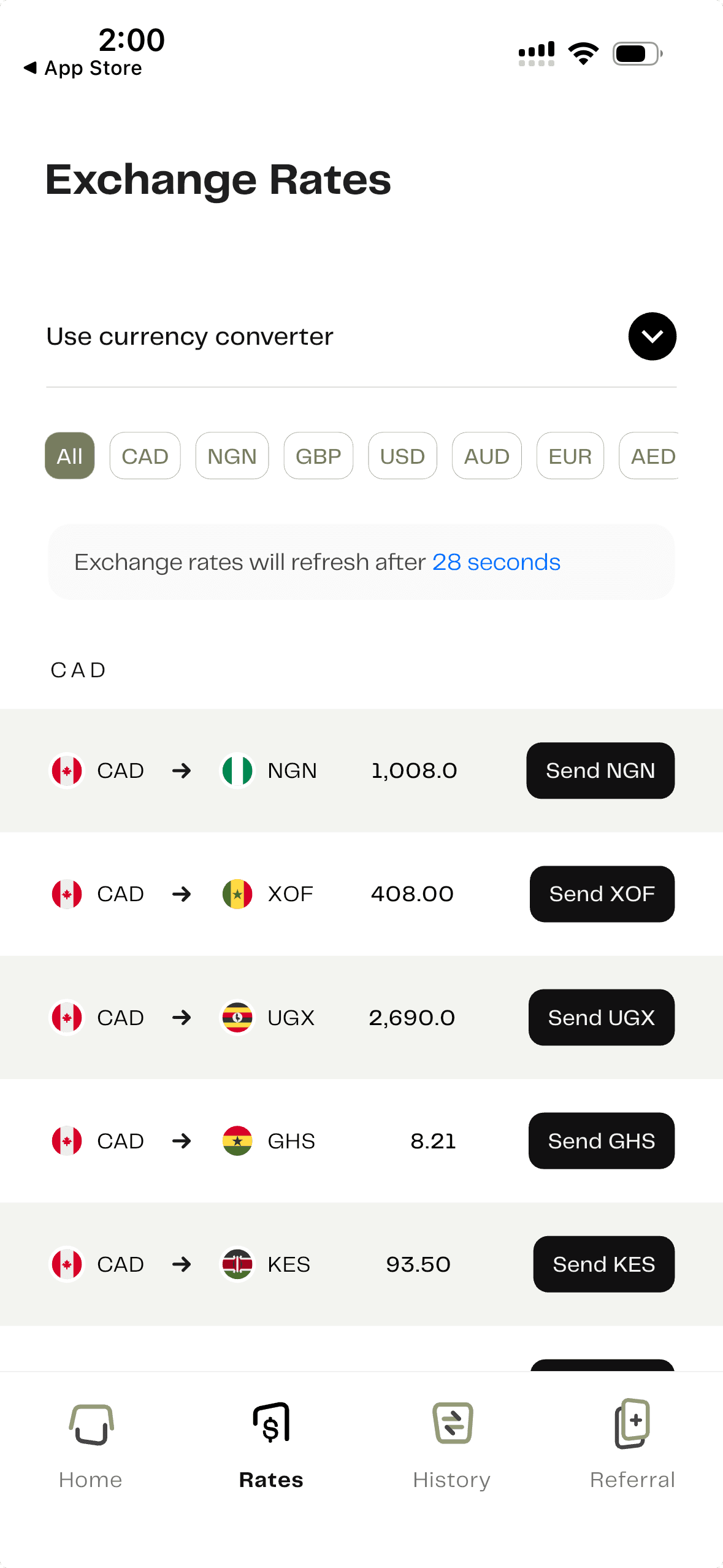
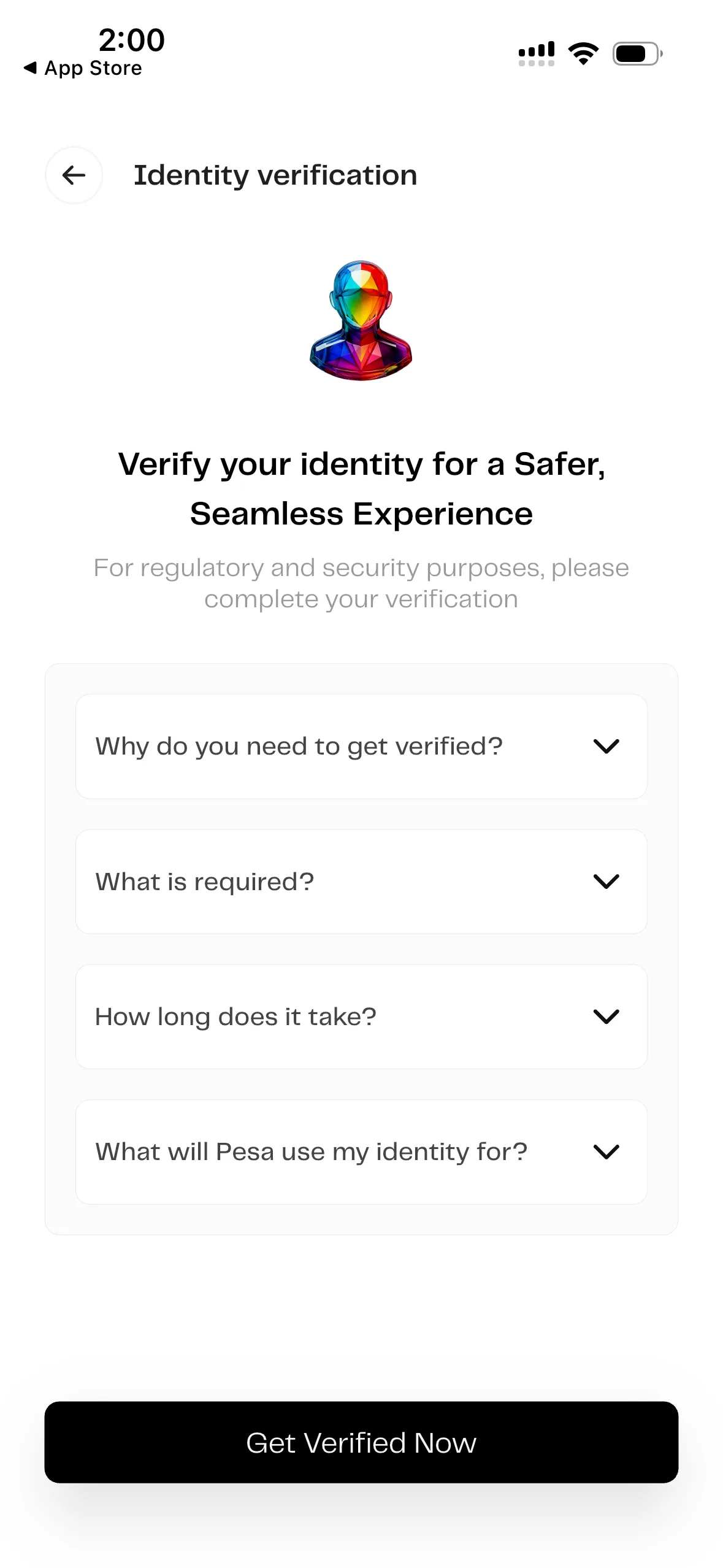
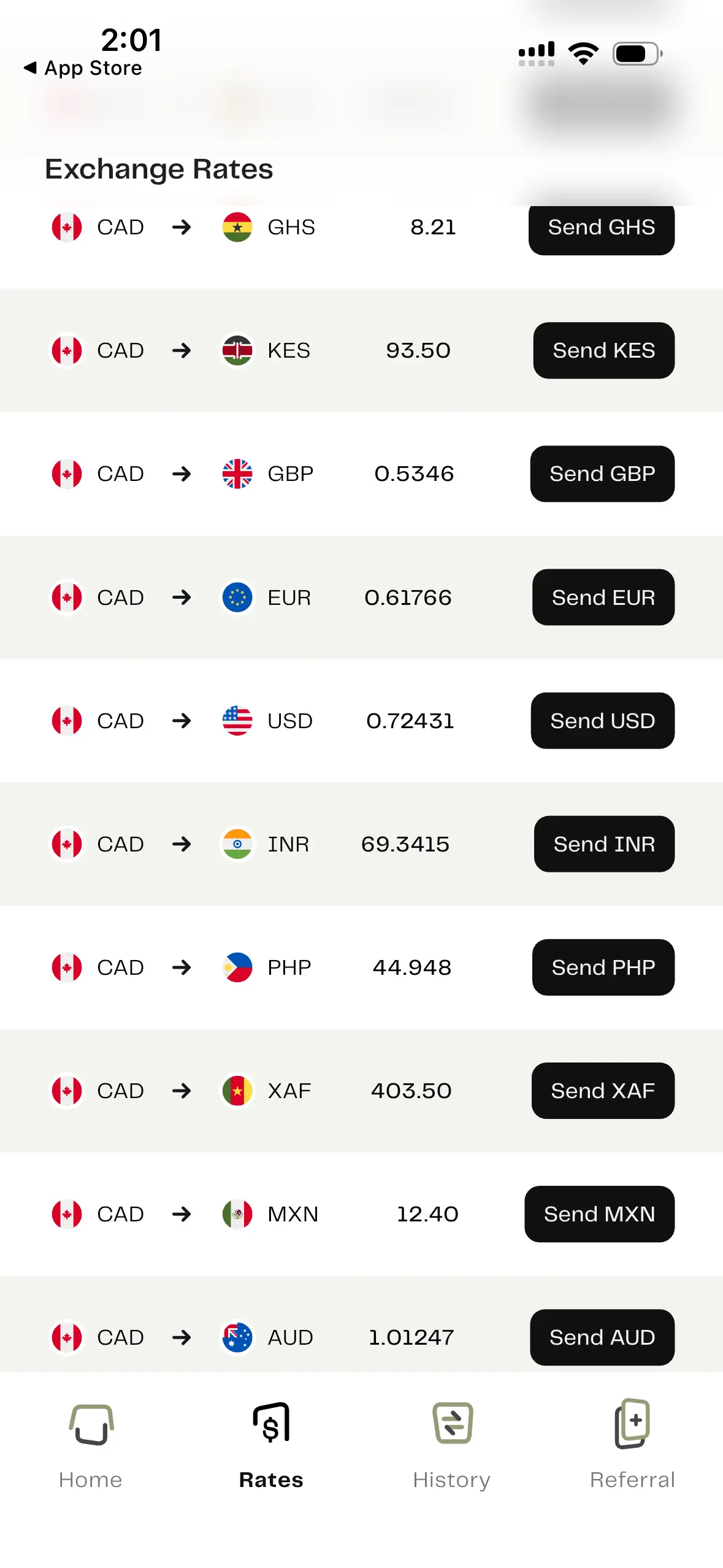
How to send money with Pesa
- Create and verify your account. Download and install the Pesa app on your phone, then provide your personal details, create a password and transaction PIN, and provide proof of ID.
- Fund your wallet. Tap Add Money in the Pesa app to deposit funds into your account.
- Start your transfer. Select Send and then International Transfers, then select the wallet you’re transferring from and the country you’re sending money to.
- Enter transfer details. Tap the button to add a new recipient and add their email address as well as their full name, then enter the amount you want to send.
- Review and confirm. Check that all details are correct before submitting your transaction.
Bottom line
We think Pesa is worth checking out if you need to send money to a high-volume transfer destination such as India, the Philippines or Nigeria. It offers competitive exchange rates to some destinations and doesn’t charge any transfer fees, and transfers are completed almost instantly. But exchange rate markups are higher to some other destinations, so it’s worth comparing transfer costs across a range of apps to find the best deal.
Frequently asked questions
Sources
Your reviews